我們需要做一些改變,也需要撰寫 characterization tests 來固定現有行為。但測試應該寫在哪裡?最簡單的答案是為每個要改變的方法寫測試,但在 legacy code 中,一個地方的改變可能影響遠處的行為。除非在那裡也有測試,否則我們可能永遠不會發現問題。
本章介紹如何透過 effect reasoning(效果推理)來找到最佳的測試位置。
Reasoning About Effects(效果推理)#
在軟體中,每個功能變更都有一連串的 effect chain(效果鏈)。例如改變一個方法中的常數,會改變該方法的回傳值,進而影響呼叫該方法的所有程式碼。
儘管效果可以傳播得很遠,但程式中許多部分不會產生不同的結果,因為它們不會直接或間接呼叫到被變更的方法。
CppClass 範例#
以一個操作 C++ 程式碼的 Java 類別 CppClass 為例:
public class CppClass {
    private String name;
    private List declarations;

    public CppClass(String name, List declarations) {
        this.name = name;
        this.declarations = declarations;
    }

    public int getDeclarationCount() {
        return declarations.size();
    }

    public String getName() {
        return name;
    }

    public Declaration getDeclaration(int index) {
        return ((Declaration)declarations.get(index));
    }

    public String getInterface(String interfaceName, int [] indices) {
        String result = "class " + interfaceName + " {\npublic:\n";
        for (int n = 0; n < indices.length; n++) {
            Declaration virtualFunction
                = (Declaration)(declarations.get(indices[n]));
            result += "\t" + virtualFunction.asAbstract() + "\n";
        }
        result += "};\n";
        return result;
    }
}
建立 CppClass 物件後,可能影響回傳結果的因素:
- 有人可以在傳入 constructor 後修改
declarationslist(因為是 by reference) - 有人可以改變
declarations中持有的物件
這些變化都會影響 getInterface、getDeclaration 和 getDeclarationCount 的回傳值。
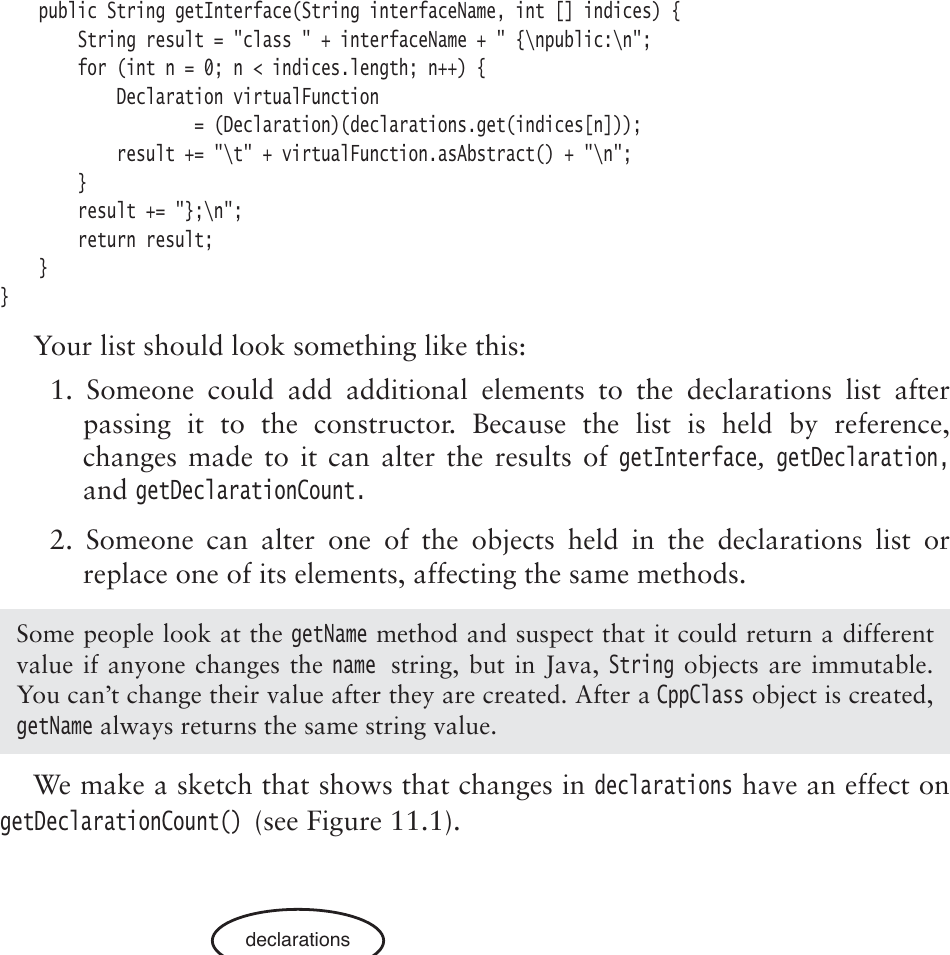
Figure 11.1: declarations impacts getDeclarationCount
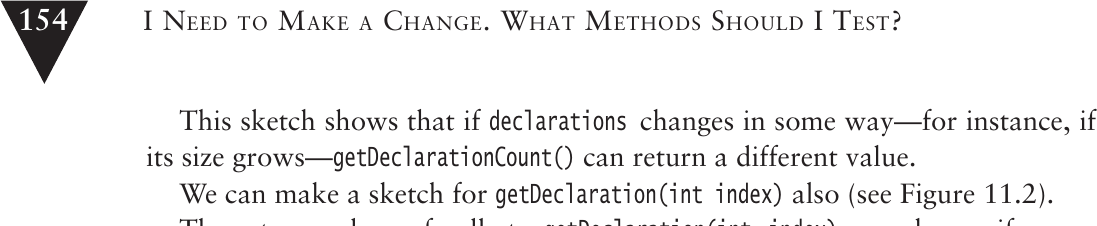
Figure 11.2: declarations and the objects it holds impact getDeclarationCount
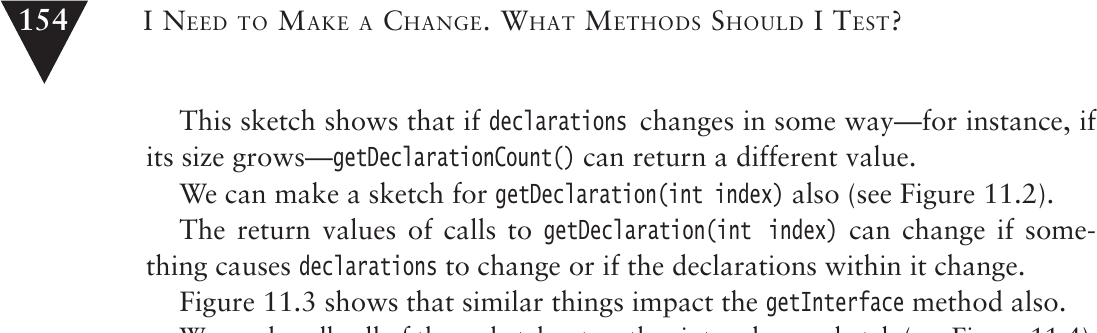
Figure 11.3: Things that affect getInterface
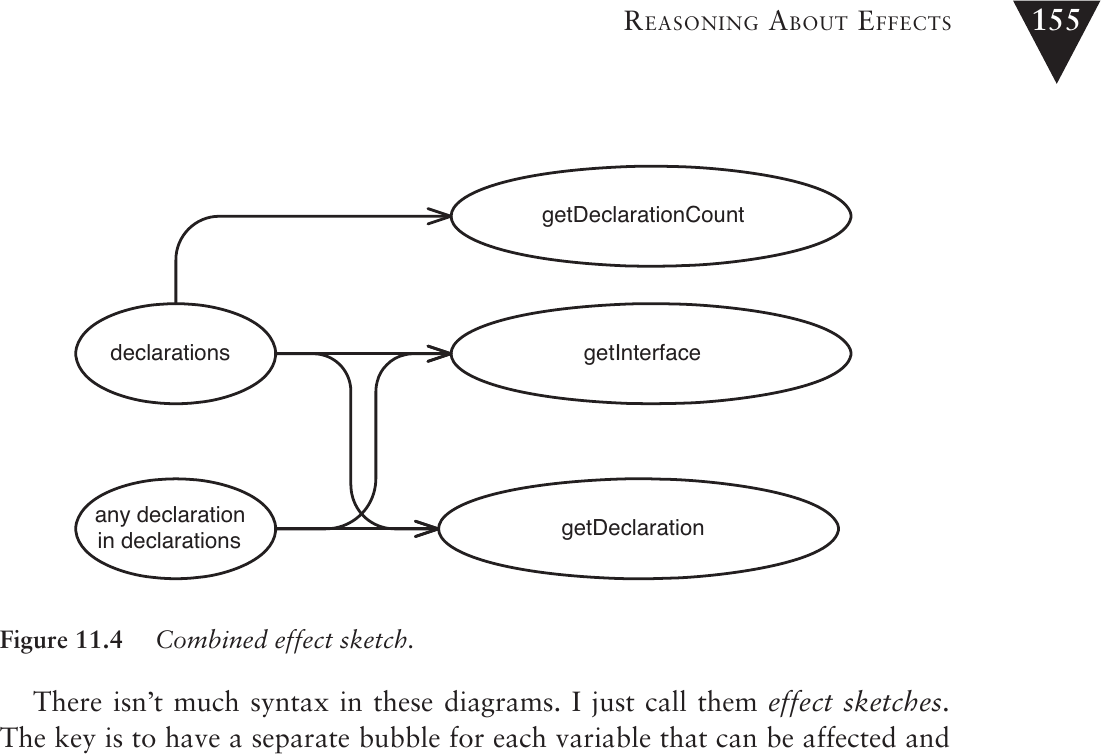
Figure 11.4: Combined effect sketch
Effect Sketches(效果草圖)#
Effect sketch 是一種圖形化工具,用來表示變數和方法之間的影響關係:
- 為每個可能被影響的變數和方法畫一個 bubble
- 從會改變的事物畫箭頭指向它們在 runtime 可能影響的一切
如果你的程式碼結構良好,大部分方法都有簡單的 effect 結構。軟體品質的一個衡量標準是:外部看到的複雜效果,其實是程式碼內部許多更簡單效果的總和。
Reasoning Forward(正向推理)#
在前面的範例中,我們嘗試回溯推理:找出哪些物件會影響某個值。當我們撰寫 characterization tests 時,過程相反——我們從一組物件出發,嘗試找出如果它們停止正常運作,下游會受到什麼影響。
InMemoryDirectory 範例#
public class InMemoryDirectory {
    private List elements = new ArrayList();

    public void addElement(Element newElement) {
        elements.add(newElement);
    }

    public void generateIndex() {
        Element index = new Element("index");
        for (Iterator it = elements.iterator(); it.hasNext(); ) {
            Element current = (Element)it.next();
            index.addText(current.getName() + "\n");
        }
        addElement(index);
    }

    public int getElementCount() {
        return elements.size();
    }

    public Element getElement(String name) {
        for (Iterator it = elements.iterator(); it.hasNext(); ) {
            Element current = (Element)it.next();
            if (current.getName().equals(name)) {
                return current;
            }
        }
        return null;
    }
}
要修改此類別,需要從 generateIndex 移除功能並在 addElement 新增功能。透過效果草圖分析:
generateIndex影響elements集合addElement也影響elements集合elements集合影響getElementCount和getElement的回傳值
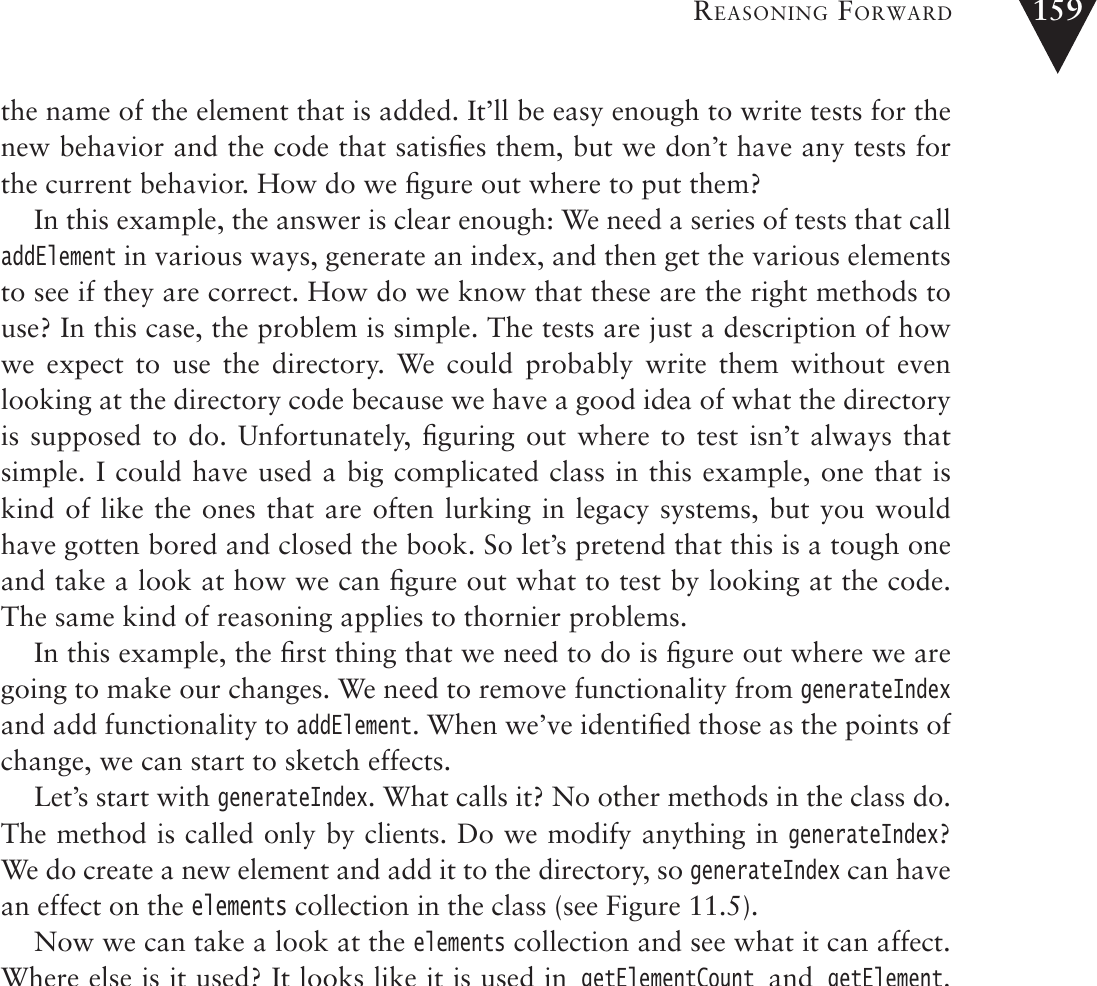
Figure 11.5: generateIndex affects elements
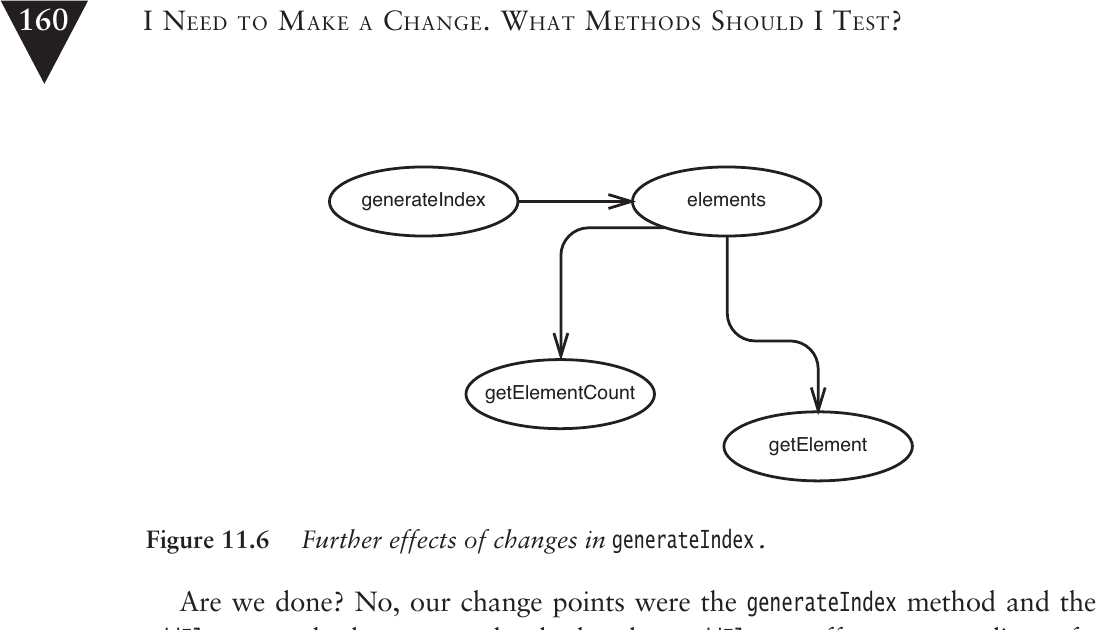
Figure 11.6: Further effects of changes in generateIndex
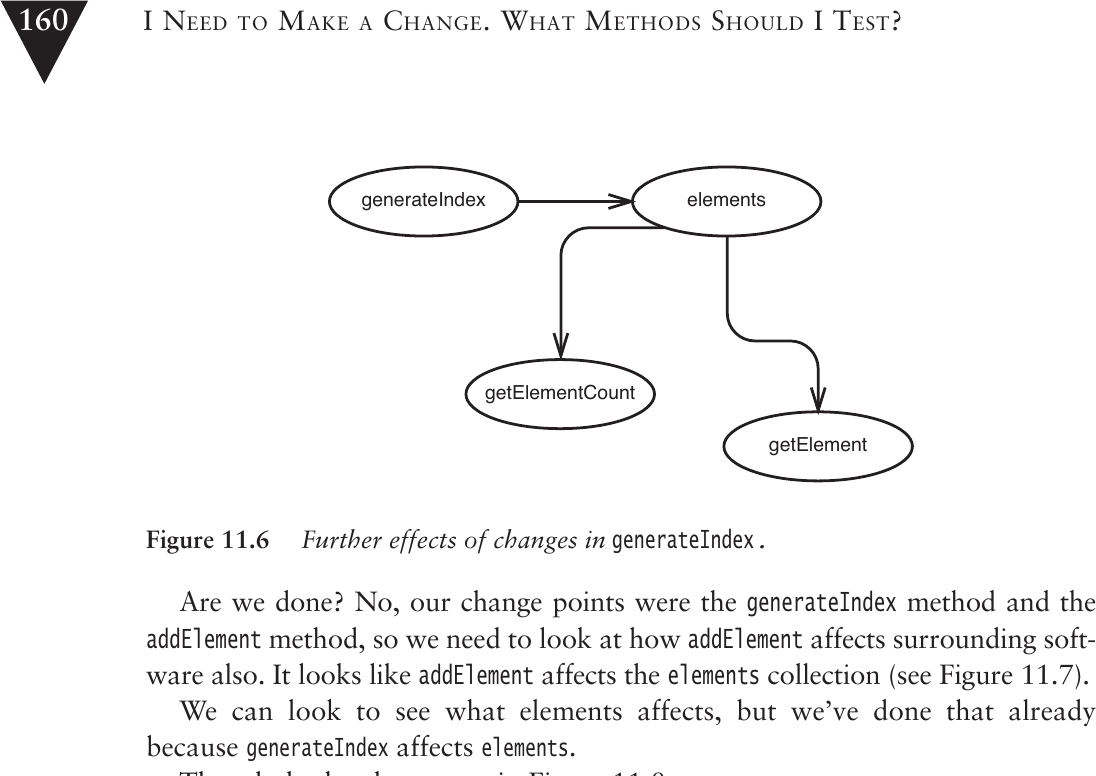
Figure 11.7: addElement affects elements
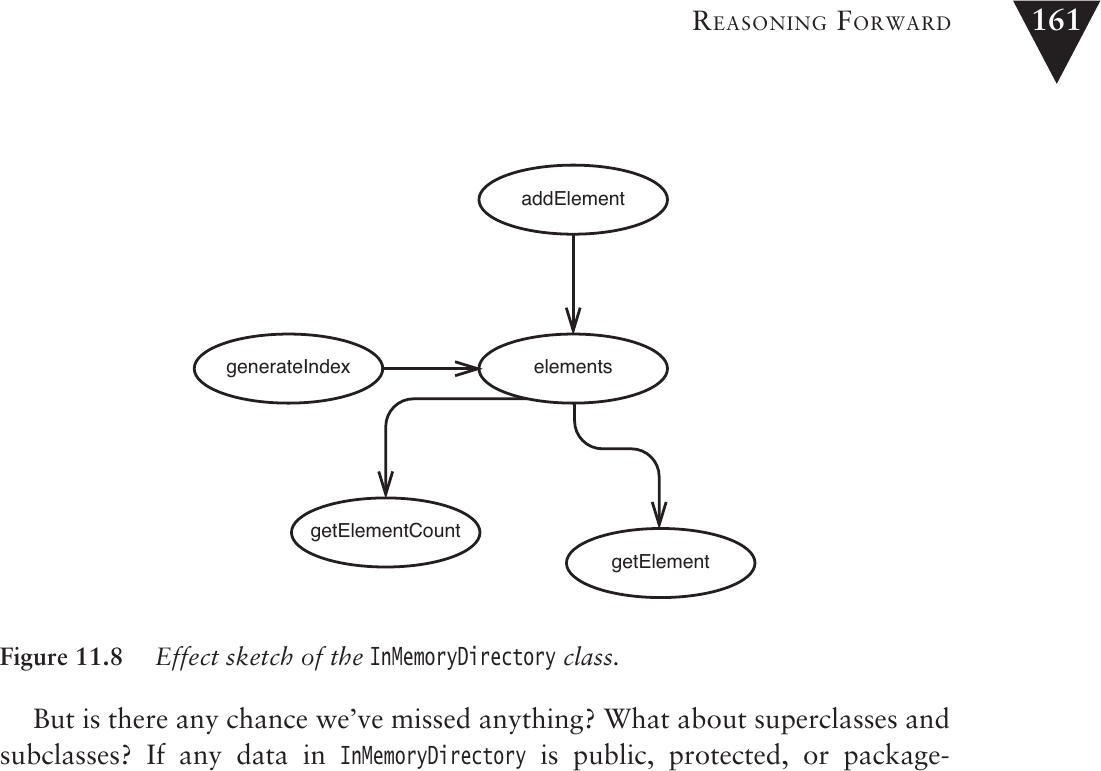
Figure 11.8: Effect sketch of the InMemoryDirectory class
因此,使用者只能透過 getElementCount 和 getElement 方法感知效果。如果我們能為這些方法寫測試,就能覆蓋所有變更的影響。
在繪製效果草圖時,確保你找到了被檢查類別的所有客戶端。如果類別有 superclass 或 subclass,可能還有其他你尚未考慮到的客戶端。
Effect Propagation(效果傳播)#
效果在程式碼中以三種基本方式傳播:
- 回傳值被呼叫者使用
- 修改作為參數傳入的物件,這些物件之後被使用
- 修改 static 或 global data,之後被使用
某些語言提供額外機制。例如在 aspect-oriented 語言中,程式設計師可以撰寫 aspects 來影響系統其他區域的行為。
隱蔽的效果傳播#
最隱蔽的方式是透過 global 或 static data。例如一個 Element 類別的 addText 方法中可能隱藏了對全域顯示元件的呼叫:
public void addText(String newText) {
    text += newText;
    View.getCurrentDisplay().addText(newText);
}
光從方法簽章看不出這個副作用。Information hiding 很好,但有時它會隱藏我們需要知道的資訊。
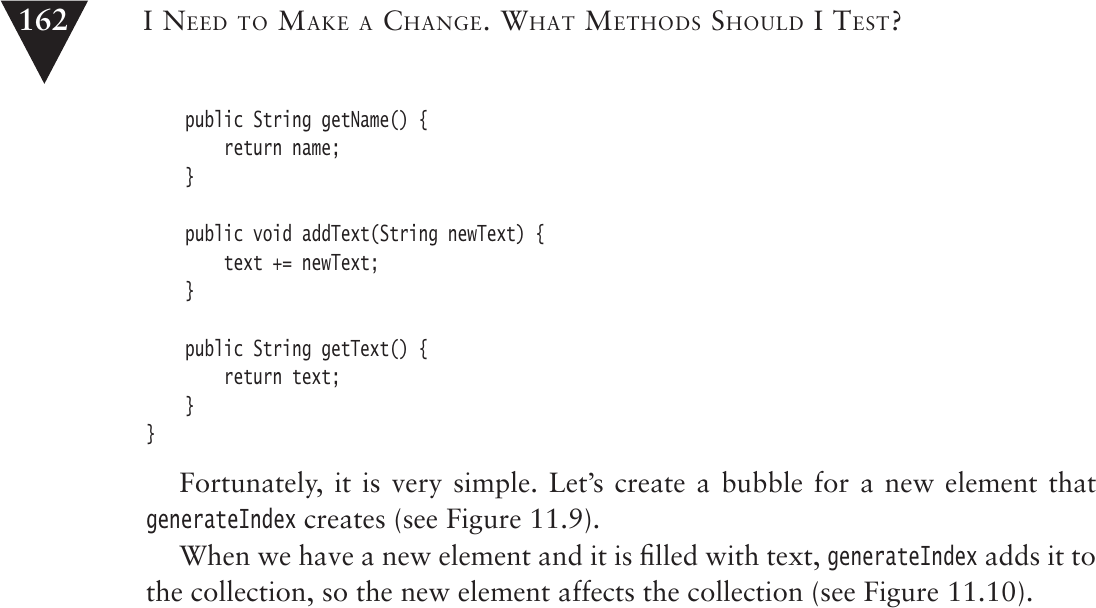
Figure 11.9: Effects through the Element class
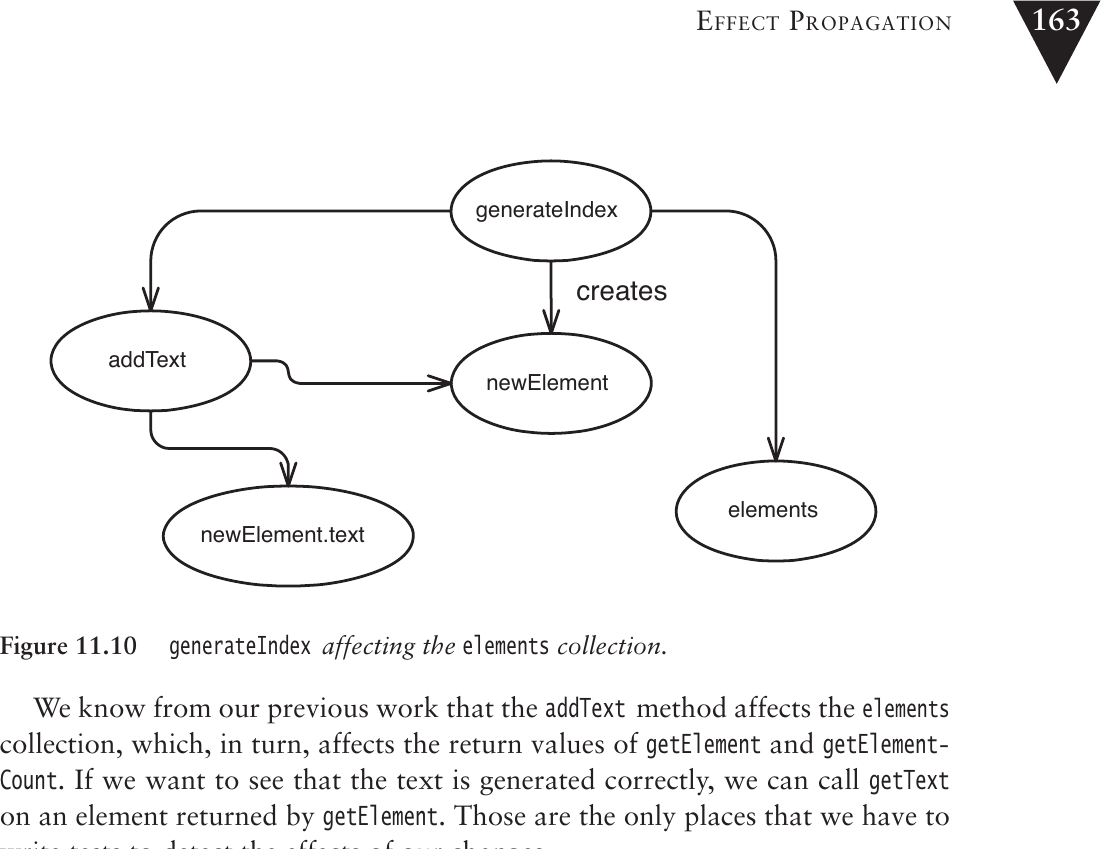
Figure 11.10: generateIndex affecting the elements collection
尋找效果的啟發法#
- 找出要改變的方法
- 如果方法有回傳值,查看其呼叫者
- 檢查方法是否修改了任何值——如果有,查看使用這些值的方法
- 檢查 superclass 和 subclass 是否也使用了這些 instance variables 和方法
- 查看傳入的參數,確認它們或其回傳的物件是否被你要改變的程式碼使用
- 查找任何被已識別方法修改的 global variables 和 static data
Tools for Effect Reasoning(效果推理的工具)#
最重要的工具是對程式語言的了解。每個語言都有一些小型的「防火牆」,可以阻止效果傳播。了解它們可以省去很多追蹤工作。
Java 範例:private vs package scope#
// Version 1: private - 效果被限制在類別內部
public class Coordinate {
    private double x = 0;
    private double y = 0;

    public Coordinate(double x, double y) {
        this.x = x; this.y = x;
    }
    public double distance(Coordinate other) {
        return Math.sqrt(
            Math.pow(other.x - x, 2.0) + Math.pow(other.y - y, 2.0));
    }
}
// Version 2: package scope - 效果可能擴散到同 package 的類別
public class Coordinate {
double x = 0;
double y = 0;
// ...
}C++ 的 mutable 關鍵字#
class Coordinate {
protected:
    mutable double first, second;
};
mutable 關鍵字代表這些變數可以在 const 方法中被修改,不能單純地把 const 當作 const 來看。
了解你的程式語言。 語言的微妙規則可能讓你在效果推理中犯錯。
const不一定真的 const,private可能不如你想像的那麼 private。
Learning from Effect Analysis(從效果分析中學習)#
經常練習效果分析,你會逐漸對程式碼建立直覺。當你越來越熟悉程式碼庫,就不需要刻意去尋找某些東西——你會發現一些「基本良好準則」。
以 CppClass 為例:我們注意到有人可以在傳入 constructor 後修改 declarations list。這是一個「但那很蠢」規則的候選:如果我們確定 CppClass 收到的 list 不會再被改變,推理就簡單得多。
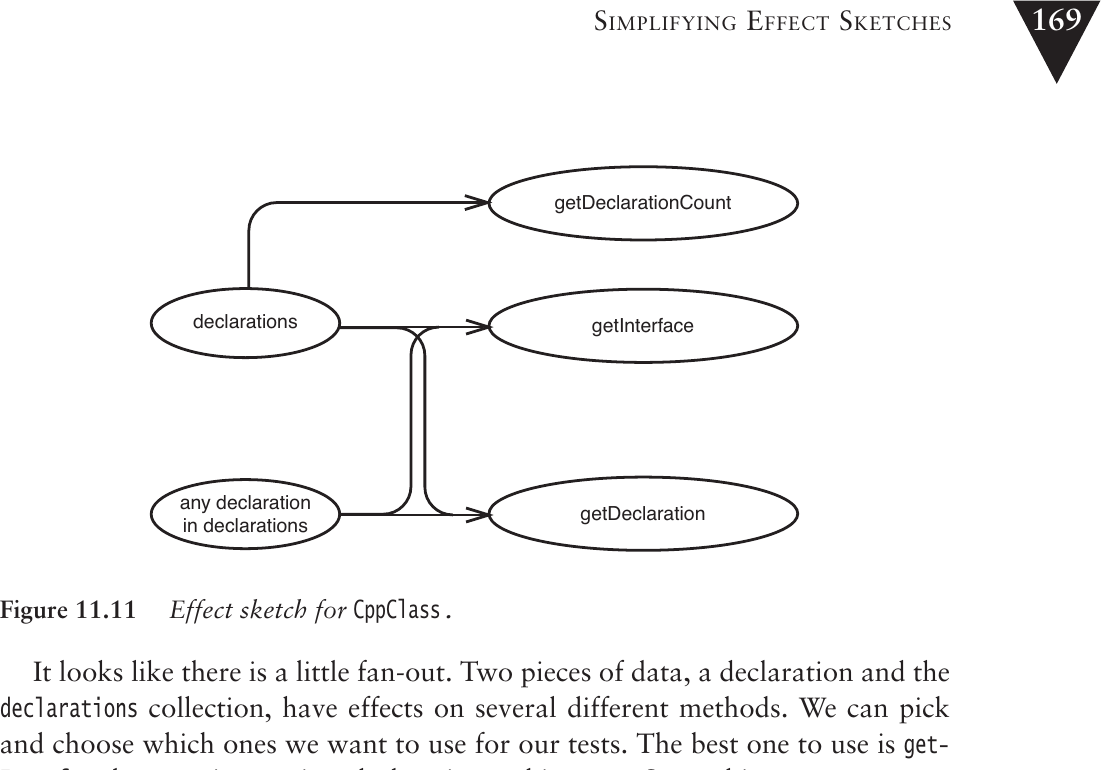
Figure 11.11: Effect sketch for CppClass
縮小程式中的效果範圍可以讓程式設計變得更容易。Functional programming 語言(如 Scheme 和 Haskell)就是在極端情況下限制效果。即使在 OO 語言中,限制效果也能讓測試變得更容易。
Simplifying Effect Sketches(簡化效果草圖)#
透過小型的重構可以簡化效果草圖,讓測試決策變得更容易。
例如,如果 getInterface 方法直接存取 declarations list,而 getDeclaration 也直接存取同一個 list,那麼效果草圖就有多個端點。但如果重構 getInterface 讓它內部使用 getDeclaration:
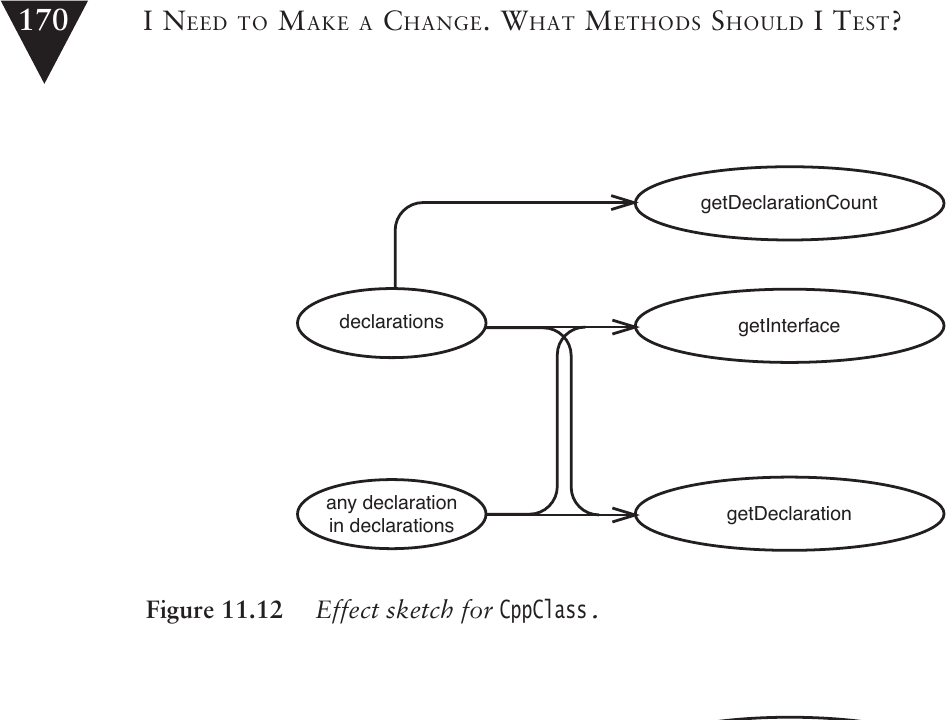
Figure 11.12: Effect sketch for CppClass
public String getInterface(String interfaceName, int [] indices) {
    String result = "class " + interfaceName + " {\npublic:\n";
    for (int n = 0; n < indices.length; n++) {
        Declaration virtualFunction = getDeclaration(indices[n]);
        result += "\t" + virtualFunction.asAbstract() + "\n";
    }
    result += "};\n";
    return result;
}
這個微小的改變讓 getInterface 測試同時也涵蓋了 getDeclaration 的行為,減少了需要獨立測試的端點。
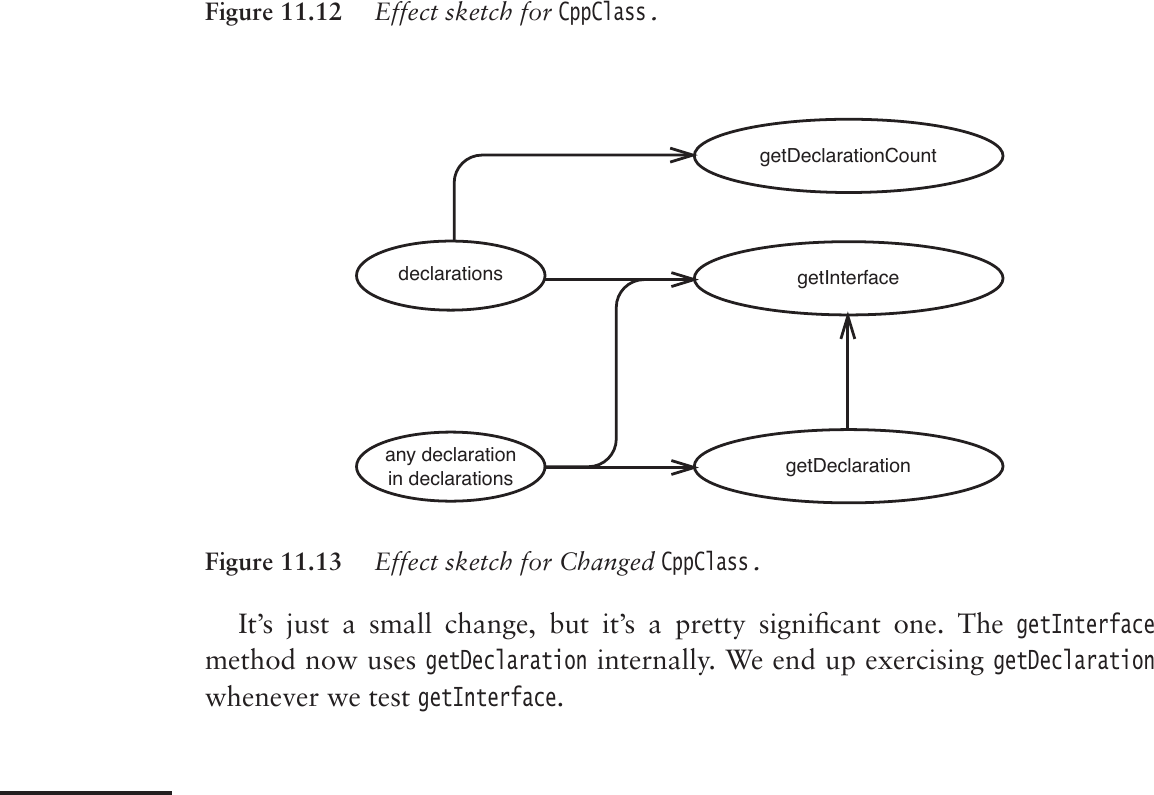
Figure 11.13: Effect sketch for Changed CppClass
當我們移除程式碼中的重複,往往會得到更少端點的效果草圖,這通常意味著更簡單的測試決策。
Effects and Encapsulation(效果與封裝)#
封裝很重要,但它重要的原因比我們通常認為的更根本:封裝幫助我們推理程式碼。在良好封裝的程式碼中,需要追蹤的路徑較少。
封裝和測試覆蓋率並不總是一致的,但當它們衝突時,作者傾向於選擇測試覆蓋率。測試可以幫助我們之後獲得更好的封裝。封裝不是目的本身,而是理解的工具。