自動化能解到哪?#
某些調校工作 是機械化的:
- 觀察查詢效能 → 偵測 regression
- 比對 plan,決定是否要 force 回去舊計畫
- 偵測 missing index → 建議或自動建立
- 偵測未使用 index → 建議或自動移除
這些任務不需要創意,只需要長期觀察 + 簡單規則 = 最適合自動化。
自動調校無法替代真正的查詢調校能力——它只能解決一部分機械化問題。複雜的查詢重寫、結構設計仍需人為判斷。
本章兩大主題:
- Automatic Plan Correction(在 SQL Server 2017+ 與 Azure SQL Database 都支援)
- Azure SQL Database Automatic Index Management(僅 Azure)
Automatic Plan Correction#
運作原理#
完全建立在 Query Store 之上:
- Query Store 持續記錄每個 query 的多個 plan 與效能
- SQL Server 觀察某個 query 的 plan 變動 → 是否伴隨效能 退步(regression)
- 若退步明顯(例如以 CPU 時間判斷)→ 推薦 force 上一個好計畫
- force 後繼續監測——若改善,保留;若惡化或仍無起色,自動撤銷
SQL Server 中此功能 預設關閉;Azure SQL Database 預設開啟(FORCE PLAN)。
啟用條件#
- SQL Server 2017 或以上、或 Azure SQL Database
- 必須啟用 Query Store
- 開啟 automatic tuning:
ALTER DATABASE CURRENT
SET AUTOMATIC_TUNING (FORCE_LAST_GOOD_PLAN = ON);取得建議#
SELECT type, reason, state, score, details
FROM sys.dm_db_tuning_recommendations;
關鍵欄位:
type:建議類型(目前是FORCE_LAST_GOOD_PLAN)reason:例如「performance went from 1.03ms to 4,607ms」state:是否已套用、為何score:建議信心分數details:JSON 內含query_id、regressed_plan_id、recommended_plan_id與直接可執行的 T-SQL

Figure 22-1: Tuning recommendations from sys.dm_db_tuning_
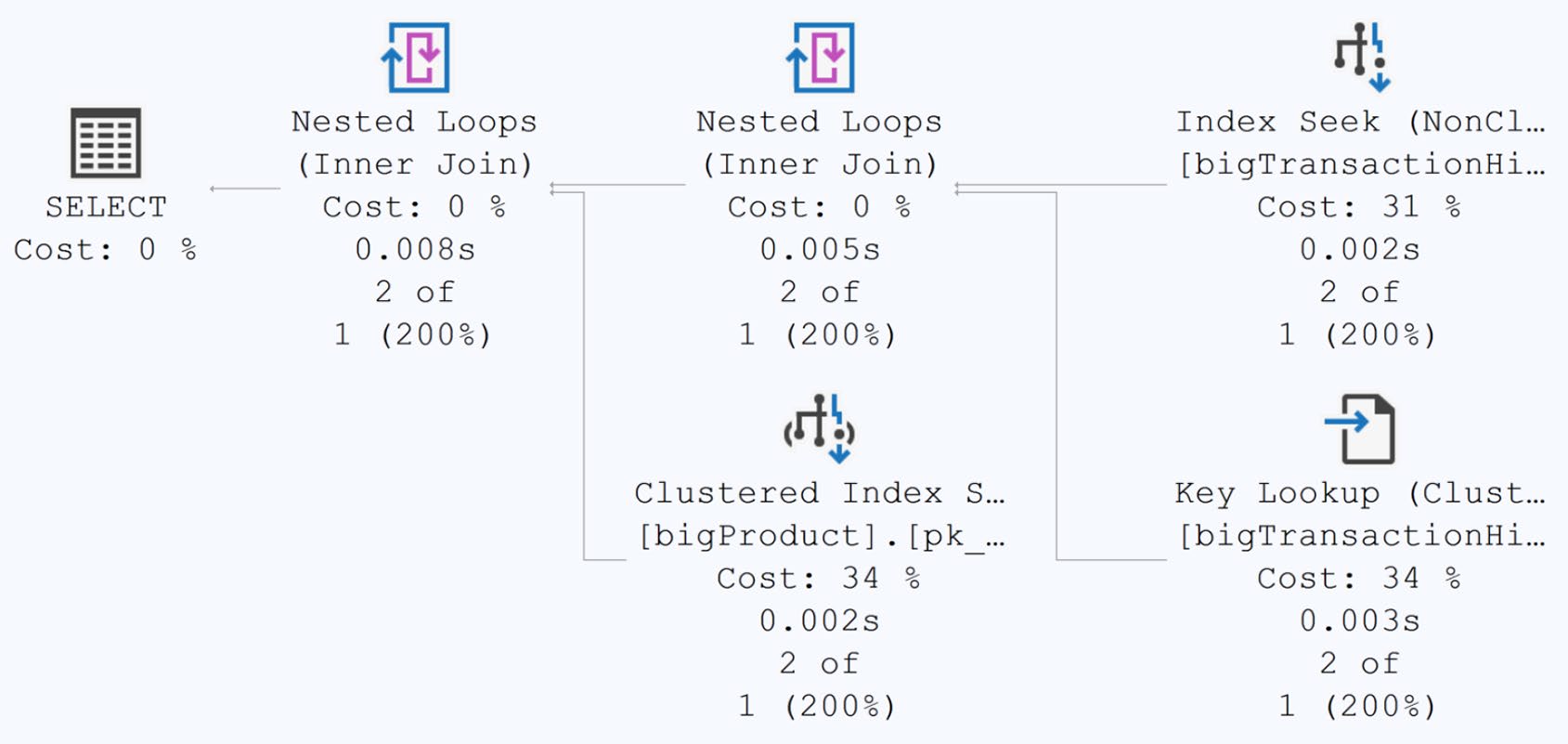
Figure 22-2: First execution of dbo.ProductByCost
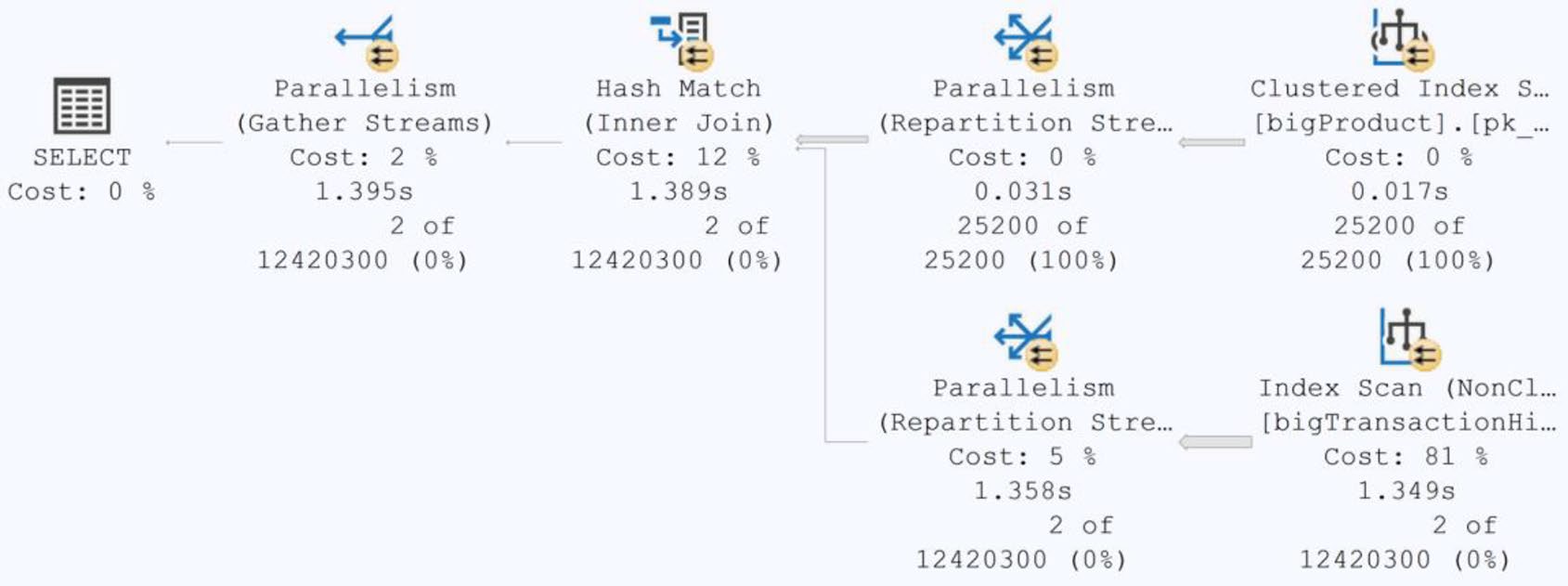
Figure 22-3: Second execution of dbo.ProductByCost after recompile
即使沒啟用自動 force,這些建議仍可作為 人工調校的雷達——書中示範查詢從這個 DMV + Query Store 拼出 query 文字、新舊兩份計畫,足以做完整診斷。
但
sys.dm_db_tuning_recommendations的內容 不會跨 instance 重啟 保留——要長期分析需自行備份。
自動套用後#
CurrentState 會變成 Verifying、reason 為 LastGoodPlanForced。SQL Server 持續評估:
- 若效能改善 → 保留 forced plan
- 若仍差或產生錯誤/超時 → 自動撤銷,標記為
error_prone
已 force 的 plan 在 instance 重啟後 保留——它與手動 plan forcing 等效。但「verifying 中」的狀態會丟失。
Azure SQL Database Automatic Index Management#
僅 Azure SQL Database(PaaS)才有的功能。Microsoft 用機器學習與資料中心級的觀察能力,自動:
- 建立 nonclustered index(不會建 clustered)
- 移除未使用的索引(不會移除 unique / clustered)
Microsoft 強調這個過程 不取走業務資料,只用 query metrics 進行決策。
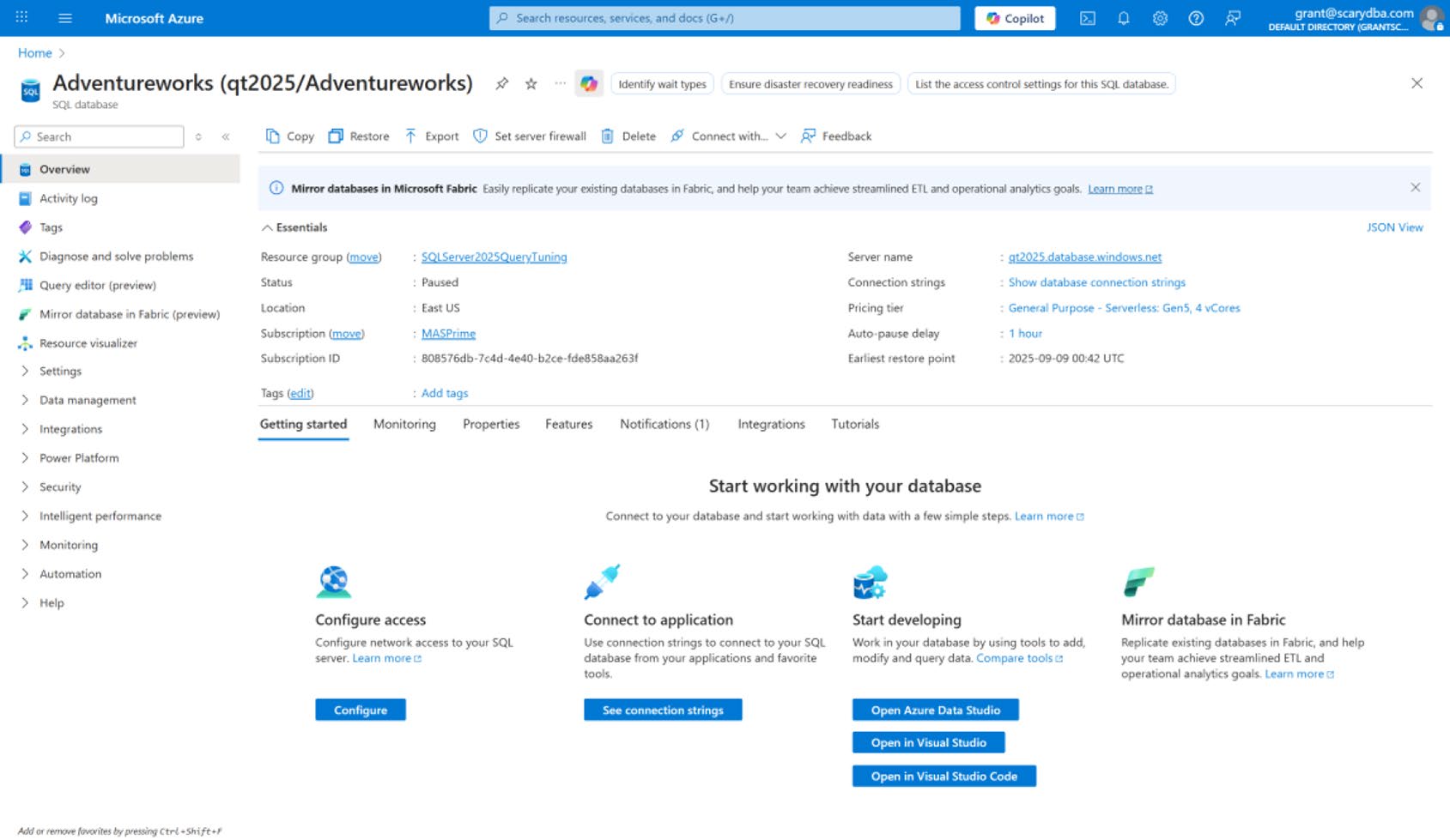
Figure 22-4: The Azure SQL Database portal
啟用方式#
Azure Portal:Intelligent performance → Automatic tuning,三個獨立開關:
- FORCE PLAN:預設 ON
- CREATE INDEX:預設 OFF
- DROP INDEX:預設 OFF
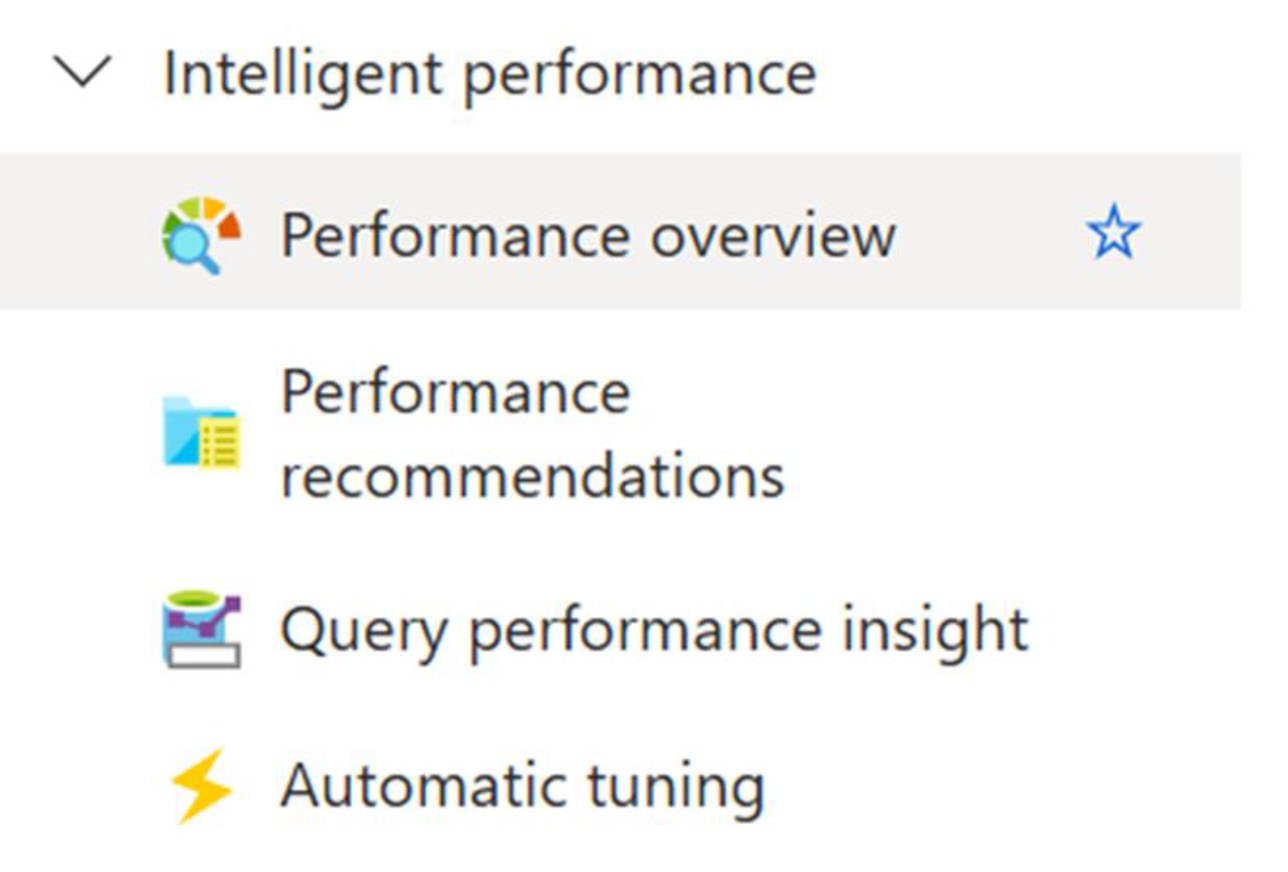
Figure 22-5: Intelligent performance selection in the Azure portal
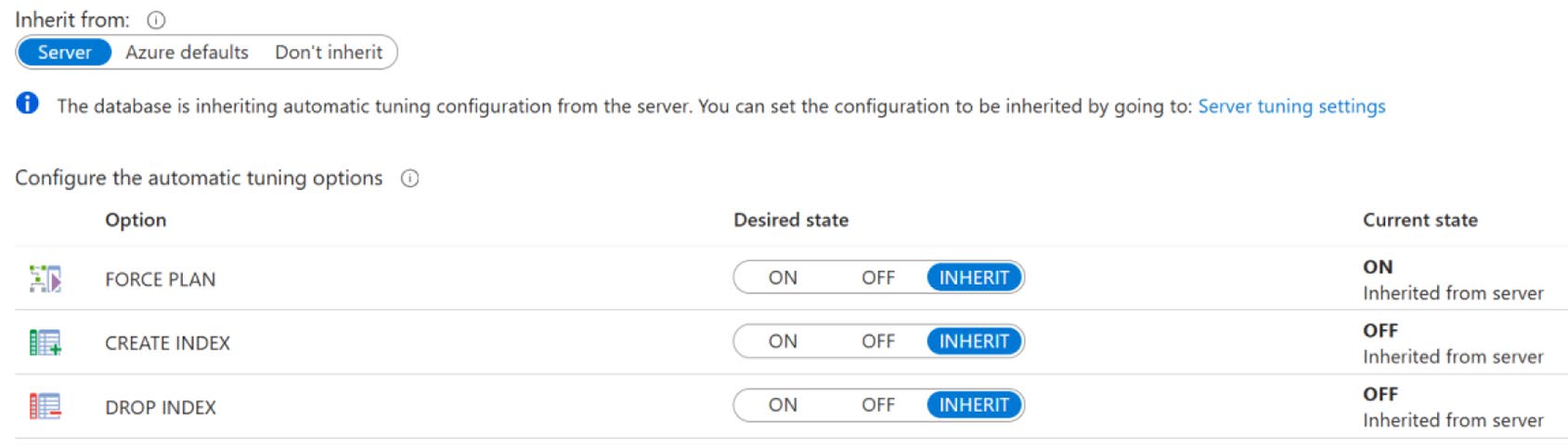
Figure 22-6: Automatic tuning features of the Azure SQL Database
也可用 T-SQL:
ALTER DATABASE CURRENT
    SET AUTOMATIC_TUNING (CREATE_INDEX = ON, DROP_INDEX = ON);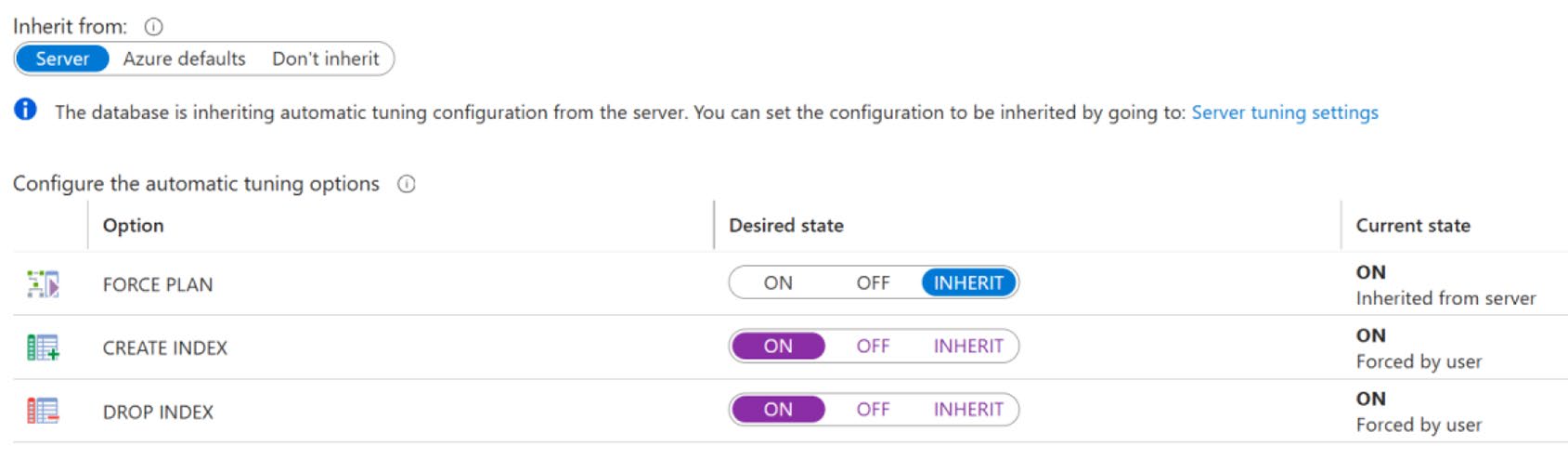
Figure 22-9: Enabling all possible automatic query performance tuning in Azure
觀察建議#
Azure portal 的 Performance Recommendations 頁面會列出建議。每條建議可:
- Apply:立即套用
- Revert:對已套用的,移除以恢復原狀
- 預覽要執行的 T-SQL 腳本
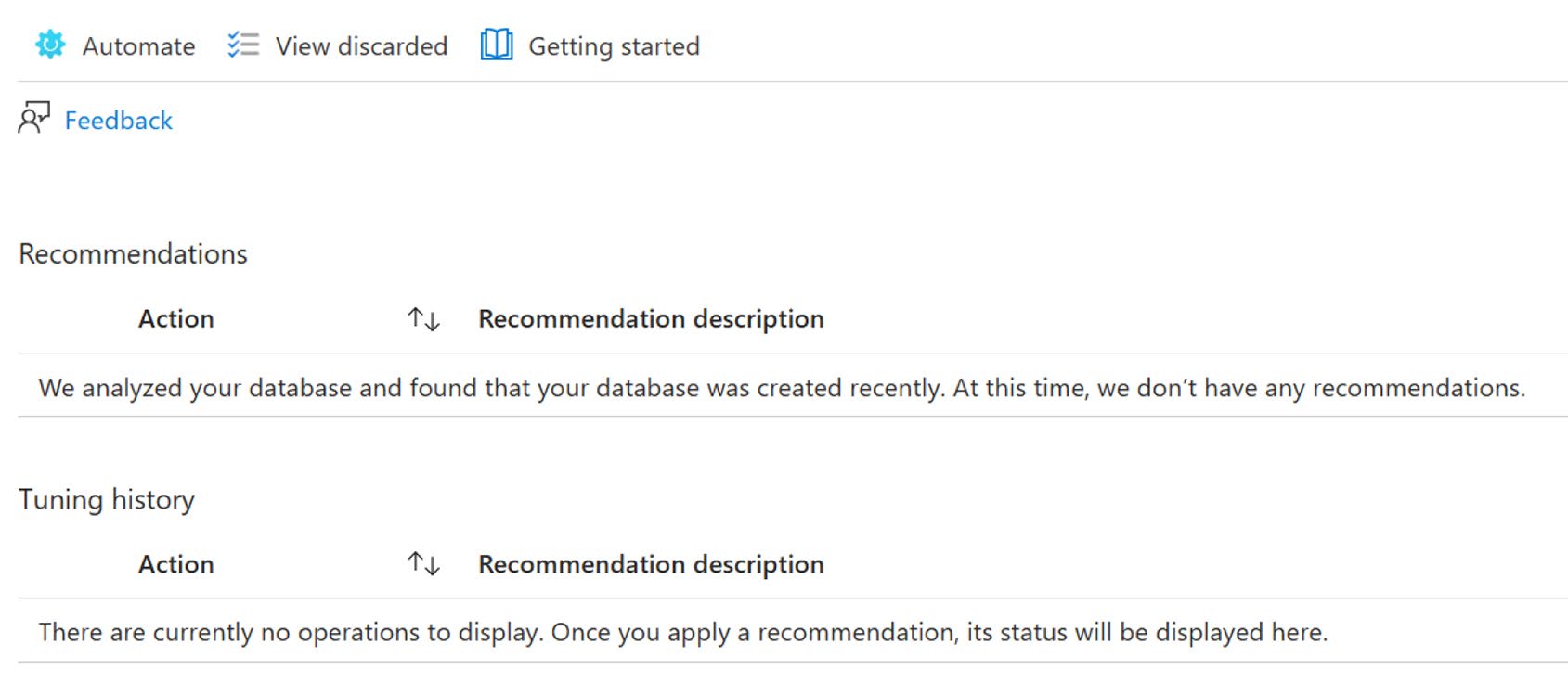
Figure 22-7: Performance recommendations on the portal

Figure 22-8: Results in place with automatic tuning in action

Figure 22-10: An index tuning recommendation has been made
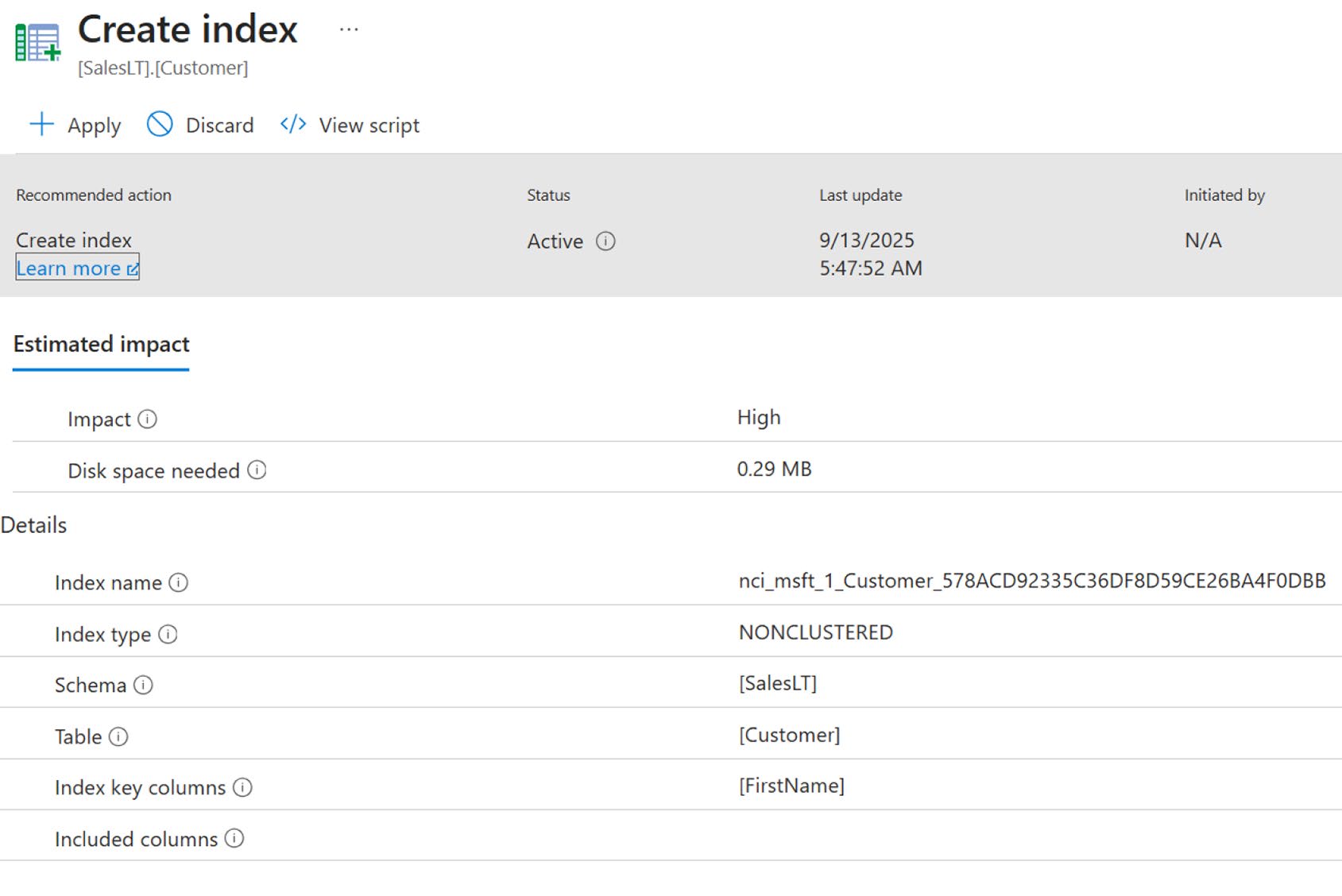
Figure 22-11: Automated tuning recommendation
收斂時間#
啟用後不會立刻產出建議——Azure 需要 大約 24 小時 觀察工作量才會給出有意義的推薦。短時間內建議只會說「我們需要更多資料」。
限制#
- 只建 nonclustered index,不會建 clustered
- 不會建 columnstore(即使 query 比較適合分析型)
- 不會 drop clustered index 或 unique index
- 不會處理 query 重寫等複雜問題
自動建索引能 快速解掉常見的 missing index 問題,但對於系統級的索引架構決策(例如 OLTP vs. analytical 邊界),仍需要 DBA 介入。
對 DBA 的影響#
自動調校不是「DBA 失業」,而是 DBA 從機械任務解放,專注於更高層的設計:
- 資料模型優化
- 跨資料庫的容量規劃
- 應用層 query 的根本性重寫
- 自動化系統 本身的監控——確保它沒做出錯誤決策
實務建議:
- Production:先把建議模式開著(不自動套用),用
sys.dm_db_tuning_recommendations做日常 review - 觀察足夠久後:開啟 FORCE PLAN(風險最低),但 CREATE / DROP INDEX 可能仍想保留人工審核
- 定期備份 重要的 tuning recommendation 資料,避免 instance 重啟丟失
本章定調#
- Automatic Plan Correction = Query Store 的機械化套用層;幾乎零成本可用
- Azure 的 automatic index management 是 PaaS 帶來的真正自動化
- 自動化適合「機械化」決策;複雜問題仍需人類
- DBA 的角色從「修每個查詢」變成「監督自動化系統」
下一章是本書最後一章——查詢調校方法論——把整本書的所有原則整理成可實踐的檢核表。