為什麼有 Intelligent Query Processing#
近四個版本以來,Microsoft 在 SQL Server 加入了一系列 自動最佳化機制,目的是 不必改程式碼、不必重設計資料庫,就能讓常見的效能問題自然減輕。
這群功能合稱 Intelligent Query Processing(IQP)。
IQP 不是萬能解——糟糕的 T-SQL 與糟糕的資料庫設計仍需手動修。但對結構合理的查詢,IQP 能挖出最後 10–30% 的效能。
本章涵蓋(其他章節已介紹的不重複):
- Adaptive Query Processing:interleaved execution、query processing feedback
- Approximate Query Processing:APPROXCOUNT_DISTINCT、APPROX_PERCENTILE*
- Table Variable Deferred Compilation
- Scalar UDF Inlining
已在其他章節介紹的 IQP 功能:
- Adaptive Joins:第 9 章
- Optimized Plan Forcing:第 6 章
- Parameter-Sensitive Plan Optimization (PSP):第 13 章
- Batch Mode on Rowstore:第 9 章
Adaptive Query Processing#
優化器以前是「一次決定,執行到底」。Adaptive 機制讓 SQL Server 在 執行中 觀察資料、調整計畫。
Interleaved Execution(多 statement TVF)#
多 statement table-valued function(TVF)是經典反模式——優化器假設它只回傳極少列(舊 CE: 1 列;新 CE: 100 列),導致實際資料量大時計畫崩潰。
從 SQL Server 2017 起:
- 優化器偵測到 multi-statement TVF
- 先執行函數取得實際列數
- 用真實列數重新優化後續部分
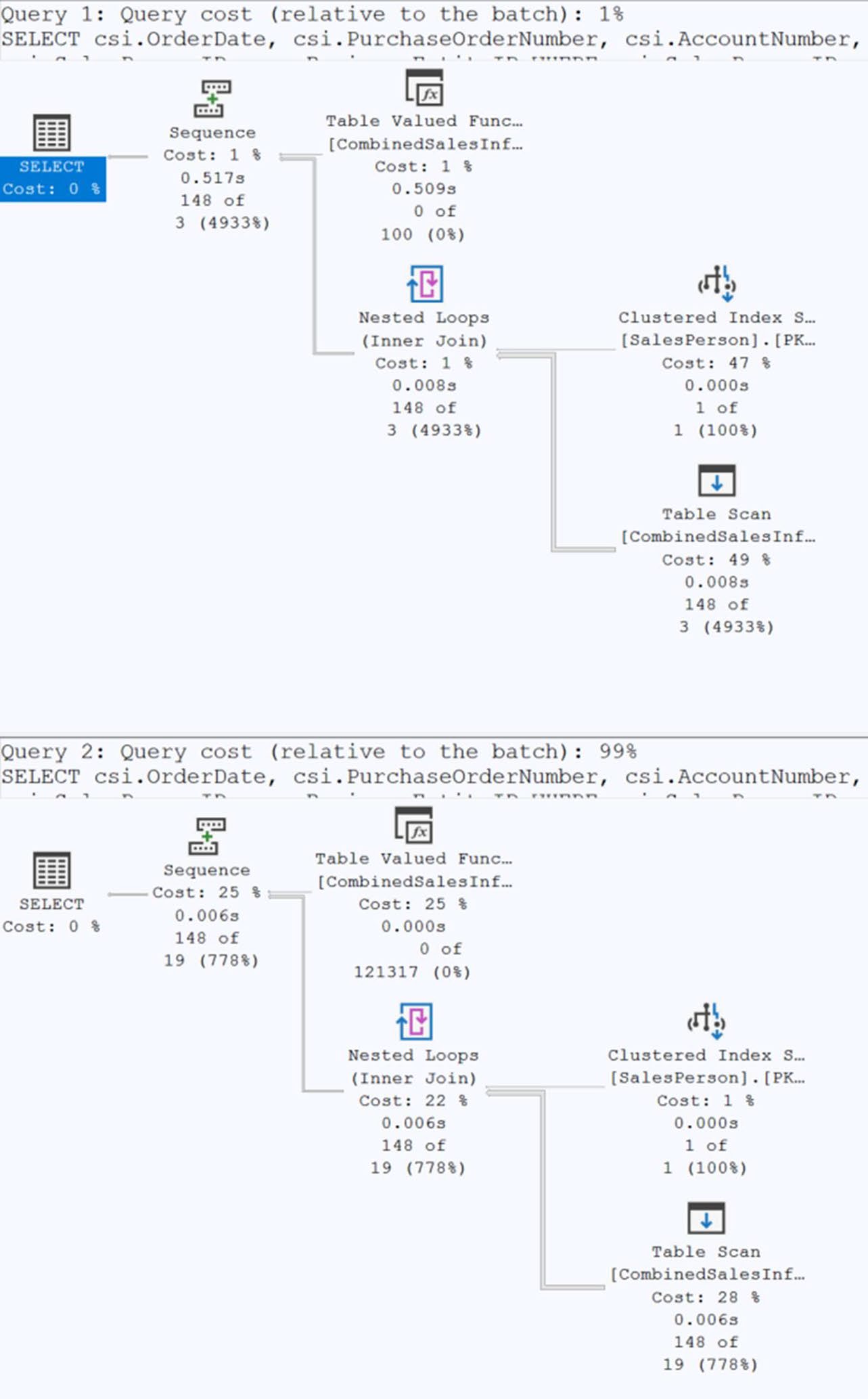
Figure 21-1: Execution plan for a non-interleaved execution and an interleaved
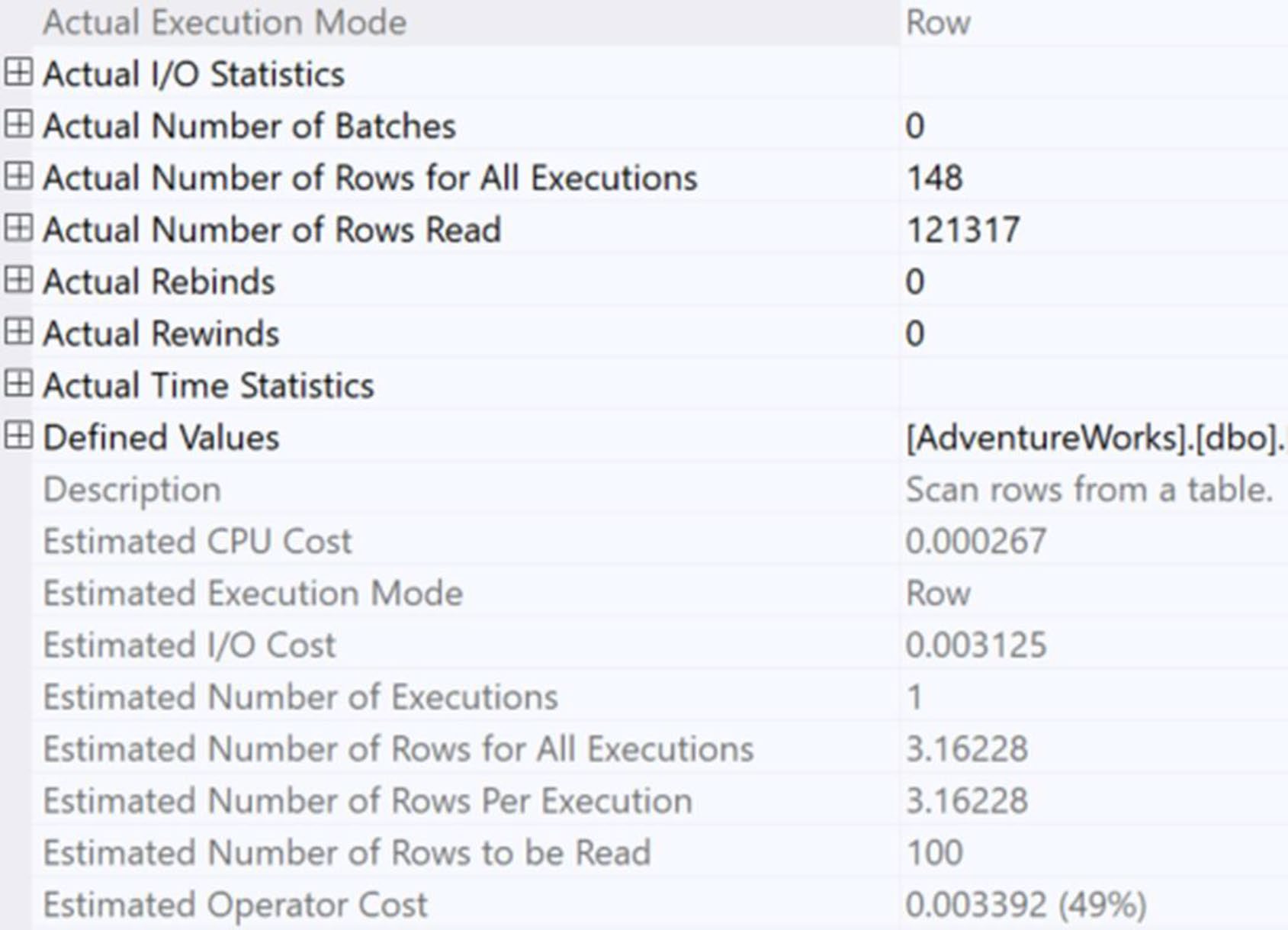
Figure 21-2: Properties from scan on the non-interleaved plan
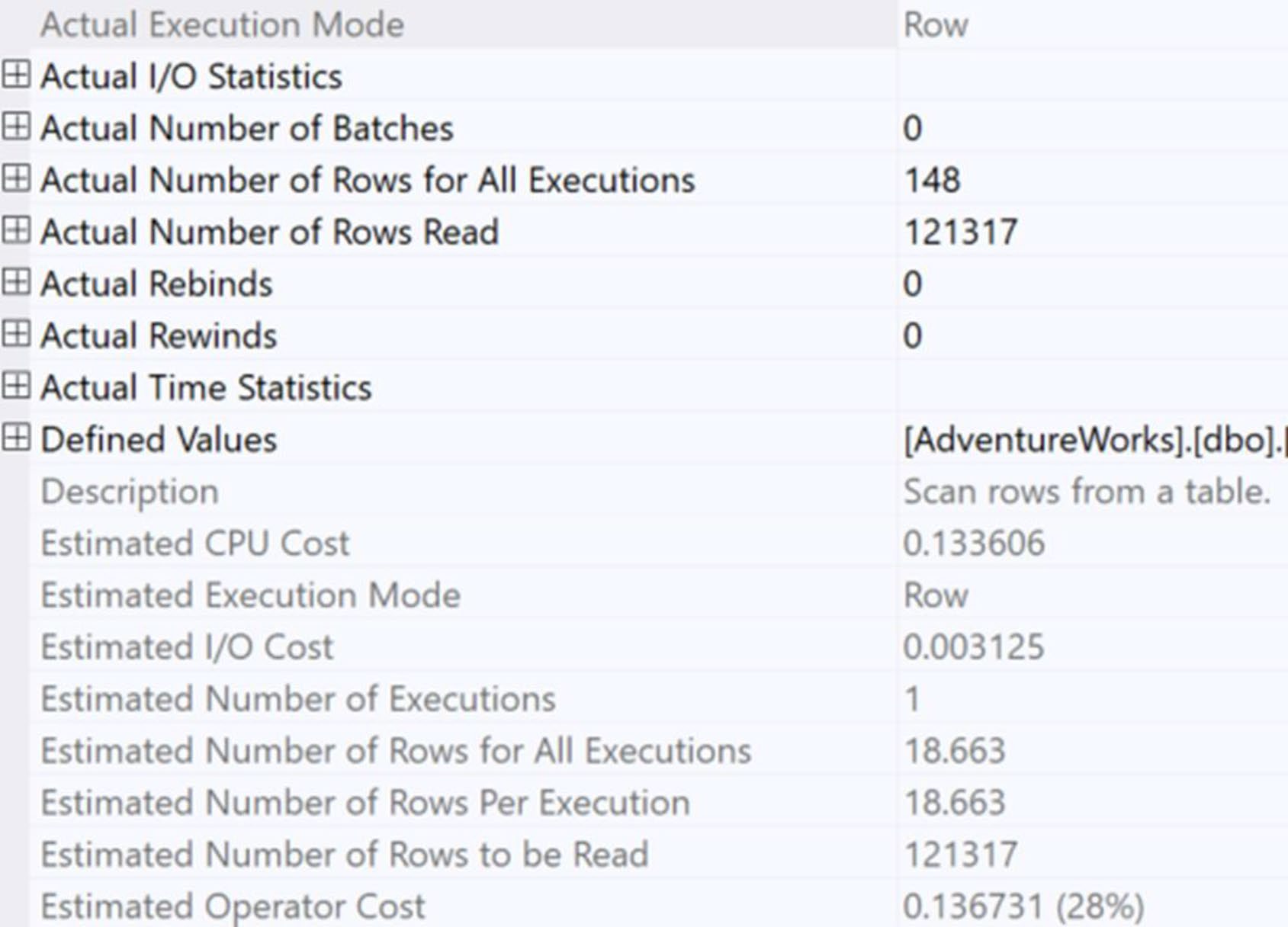
Figure 21-3: Properties from an interleaved execution
書中實測:對嵌套三層 TVF 的查詢,interleaved off vs. on 沒有戲劇性差異(542ms vs. 512ms),但 改寫成單層 TVF + 將 WHERE 改成參數 後降到 6 ms / 1,120 reads。
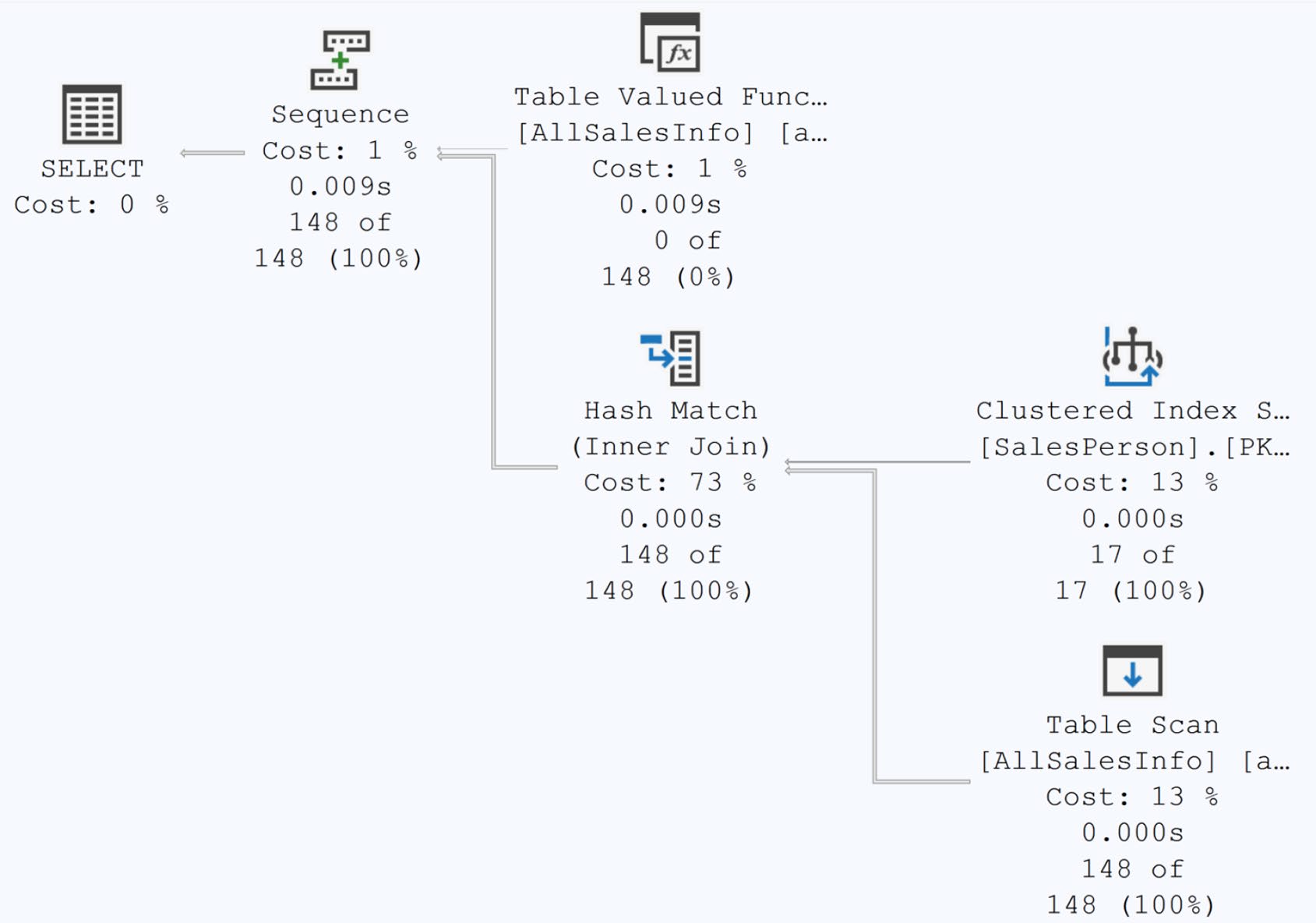
Figure 21-4: A new execution plan with better estimates
Interleaved execution 是「補救」而非「修補」:真正的修法是把巢狀 TVF 拆掉,把過濾參數推進函數定義。
控制:
ALTER DATABASE SCOPED CONFIGURATION SET INTERLEAVED_EXECUTION_TVF = OFF;Query Processing Feedback#
四個方向:
- Memory grants
- Cardinality estimates
- Degree of Parallelism (DOP)
- Feedback persistence
Memory Grant Feedback#
優化器估算每個查詢需要的記憶體:
- 估太少 → spill 到 tempdb(極慢)
- 估太多 → 浪費,影響其他查詢的 grant
從 SQL Server 2017 起,引擎觀察實際使用後 下次自動調整。
觀察事件(Extended Events):
memory_grant_updated_by_feedback:發生調整memory_grant_feedback_loop_disabled:parameter sniffing 嚴重時放棄回饋
執行計畫的 MemoryGrantInfo 屬性會顯示狀態:
YesStable:已調整且穩定NoFirstExecution:第一次不調整NoAccurateGrant:沒 spill 且使用 > 50%,無需調NoFeedbackDisabled:因 thrash(一下需要多、一下需要少)關閉
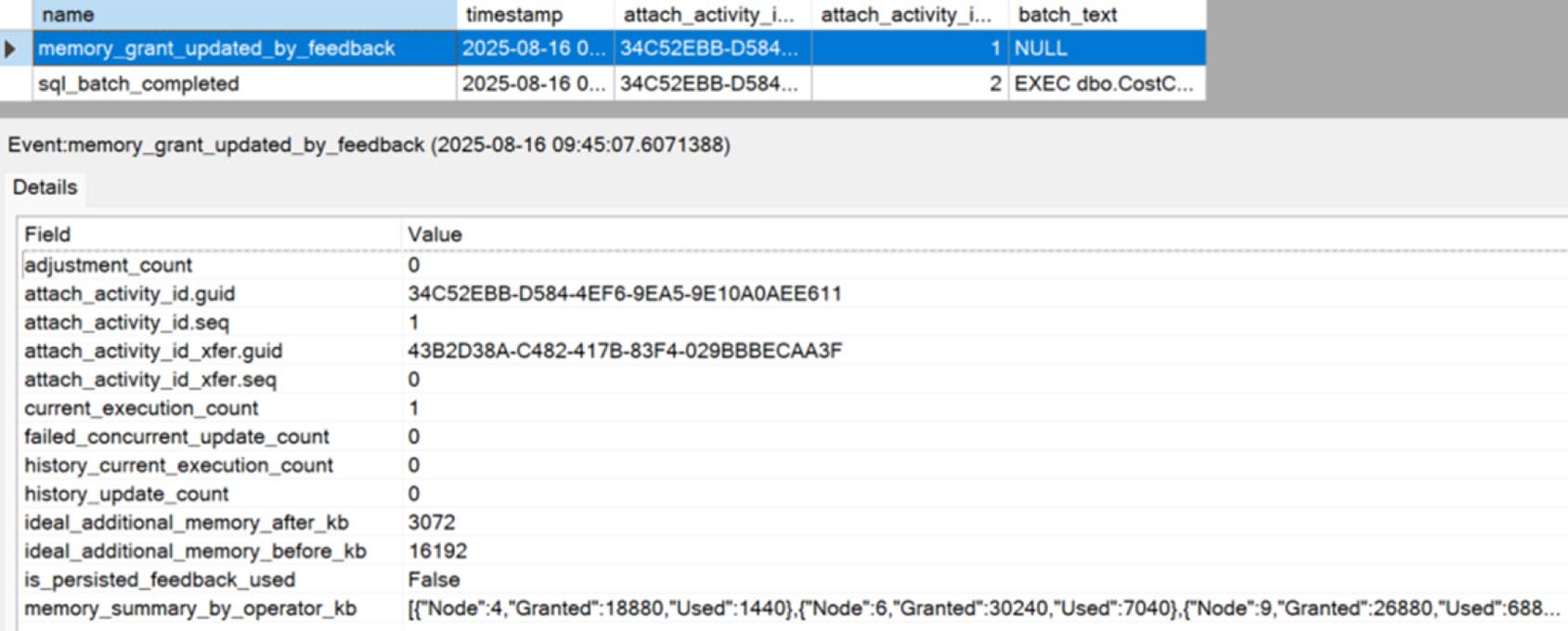
Figure 21-5: Results of memory grant feedback
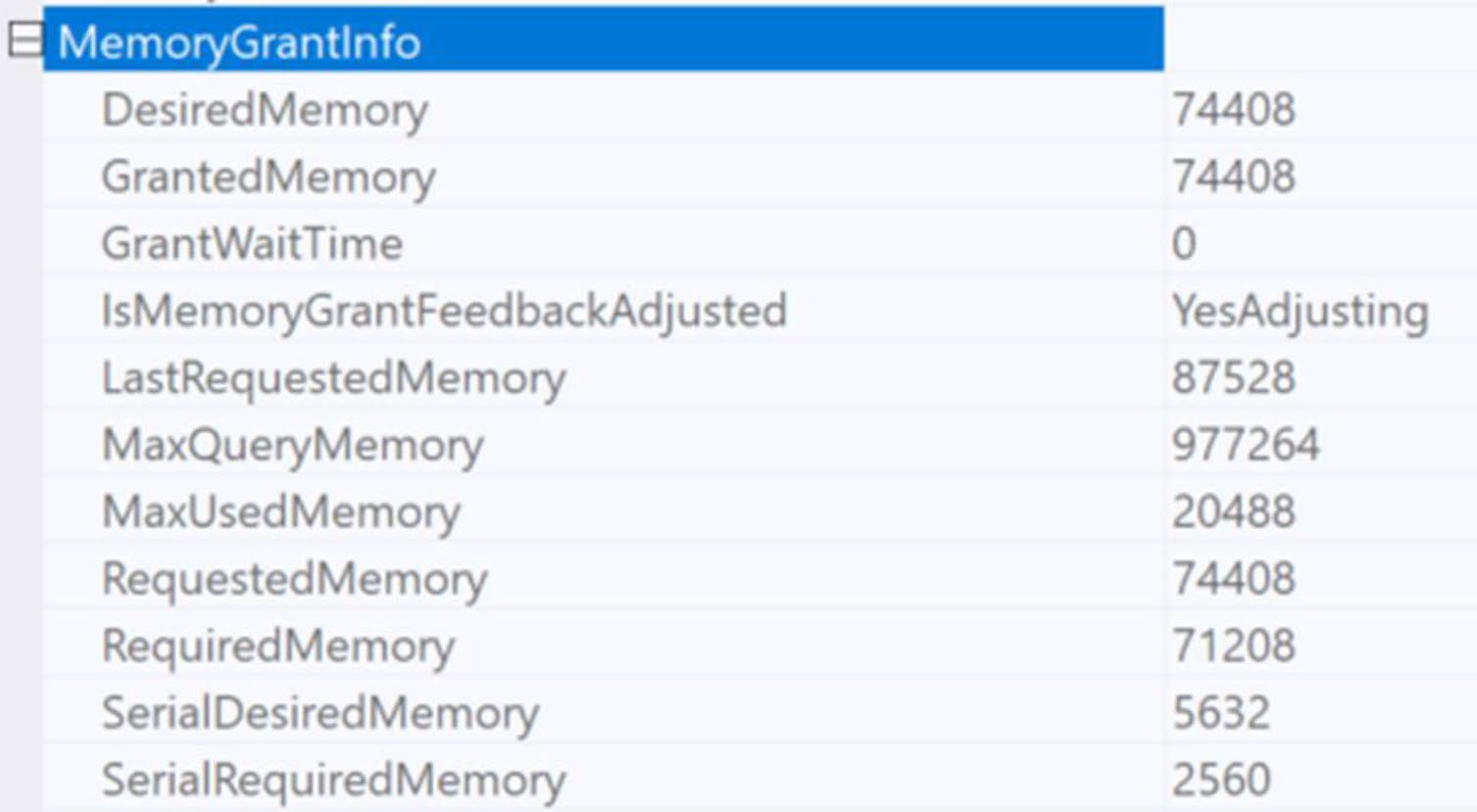
Figure 21-6: Evidence of memory grant feedback within an execution plan
SQL Server 2022 起改用 百分位回饋——觀察多次執行的記憶體用量分佈,避免一上一下抖動。
預設啟用,要關用:
ALTER DATABASE SCOPED CONFIGURATION
    SET MEMORY_GRANT_FEEDBACK_PERCENTILE = OFF;
Cardinality Estimate Feedback(SQL Server 2022+)#
需要 compatibility level 160 且啟用 Query Store。
CE feedback 透過 Query Store hints 自動套上修正——例如針對「兩個欄位明顯相關」的場景:
SELECT AddressID, AddressLine1, AddressLine2
FROM Person.Address
WHERE StateProvinceID = 79
  AND City = N'Redmond';
新 CE 假設 StateProvinceID 與 City 部分相關;實際上若是高度相關(同一城只屬同一州),優化器估算會偏離真實。CE feedback 觀察後套上適當 hint。
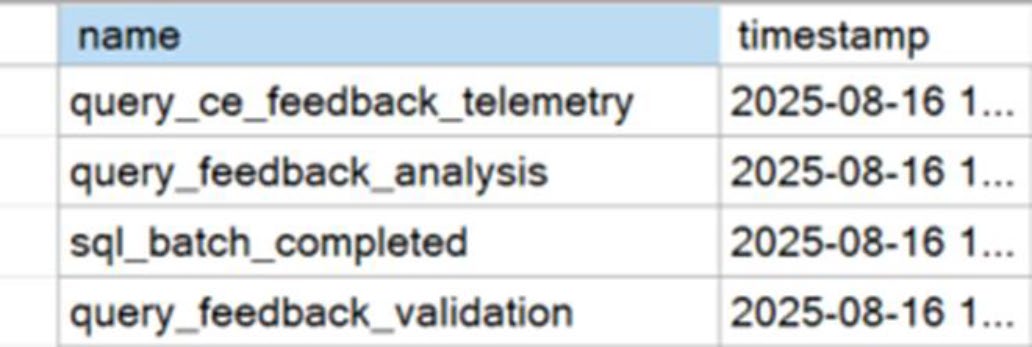
Figure 21-7: CE feedback events caused by a query
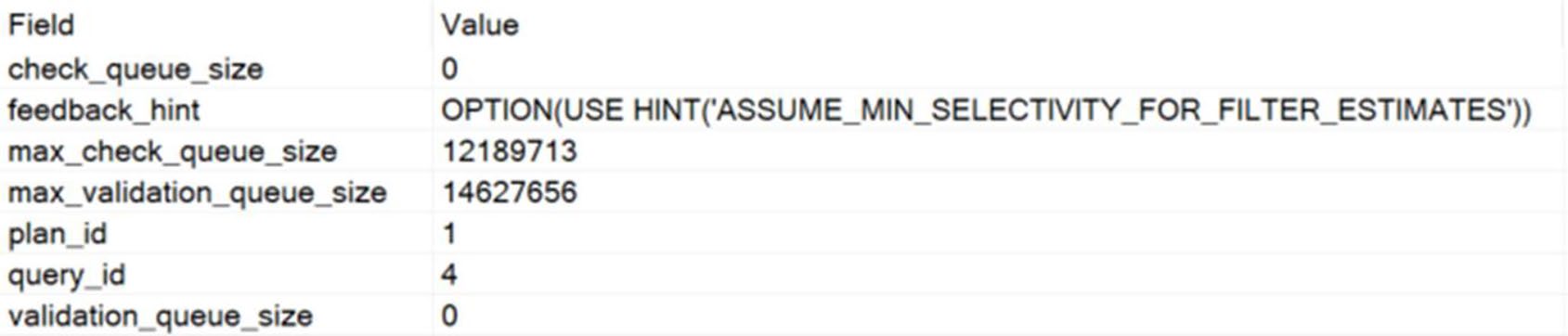
Figure 21-9: query_feedback_analysis
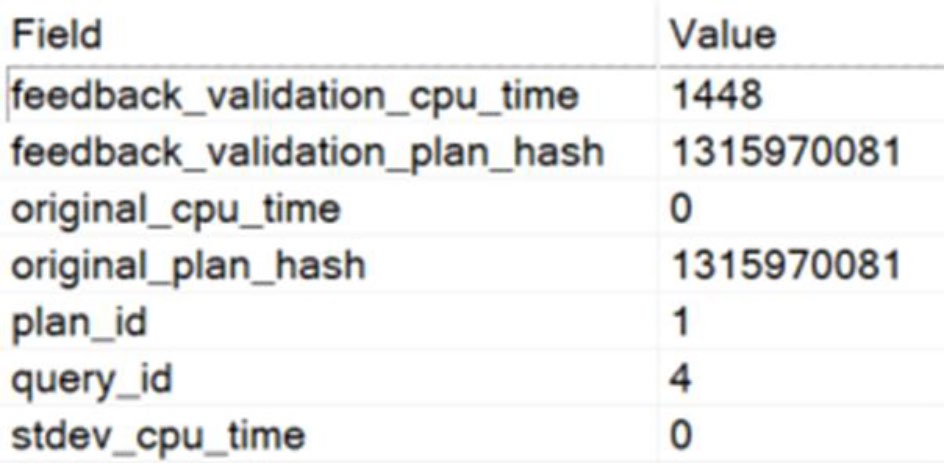
Figure 21-10: query_feedback_validation

Figure 21-11: Status of CE feedback on a query
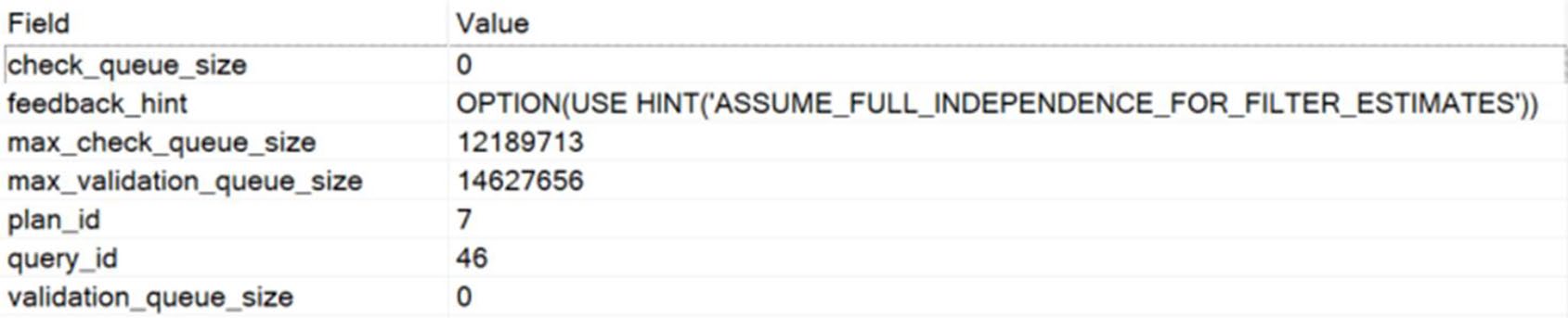
Figure 21-12: New feedback hint being evaluated
Degree of Parallelism Feedback#
SQL Server 2022 起。觀察查詢的並行運行情況——若並行帶來 wait(CXPACKET、CXCONSUMER)卻沒帶來收益,下次執行降低 DOP。
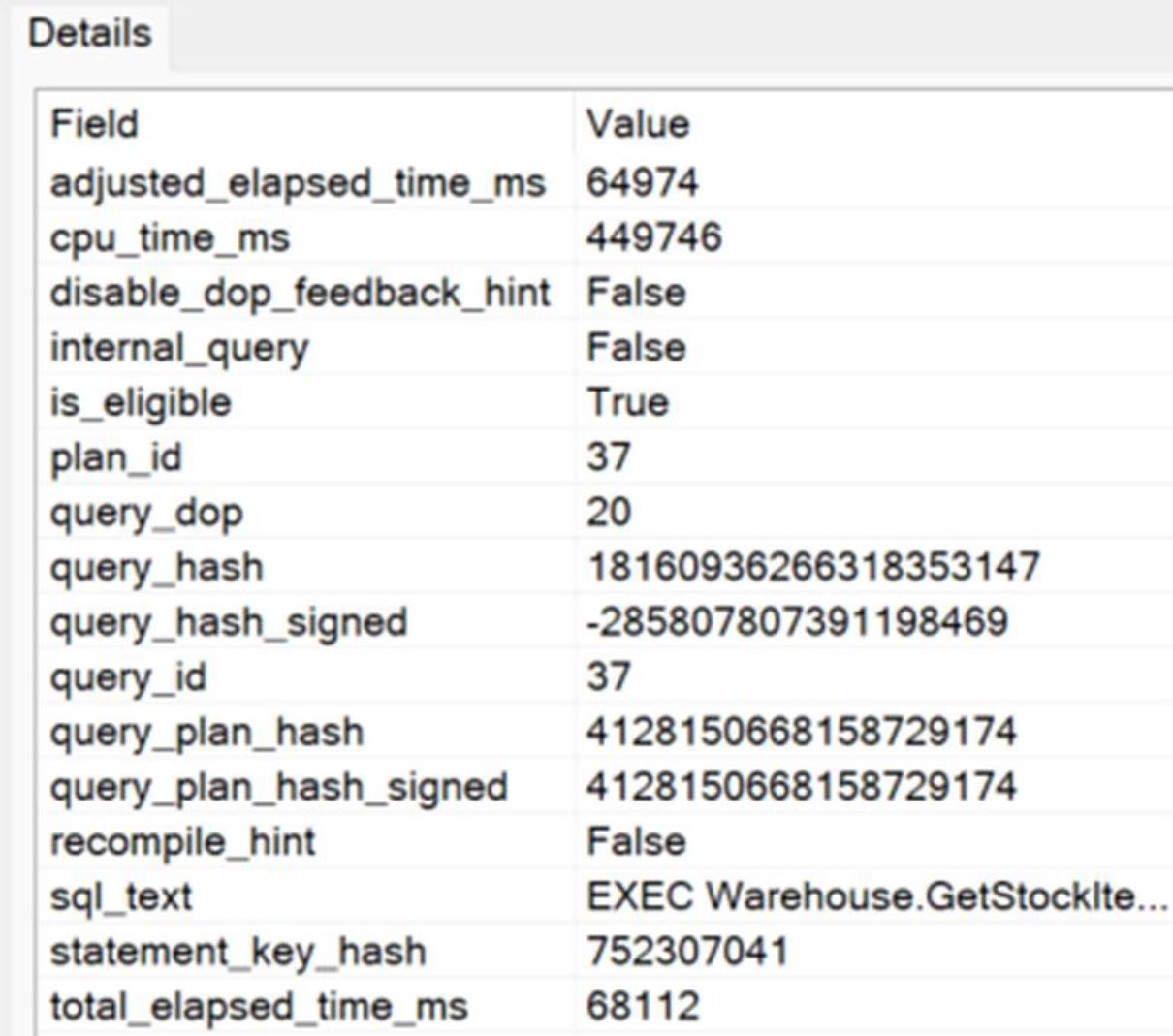
Figure 21-13: A query that may benefit from DOP feedback
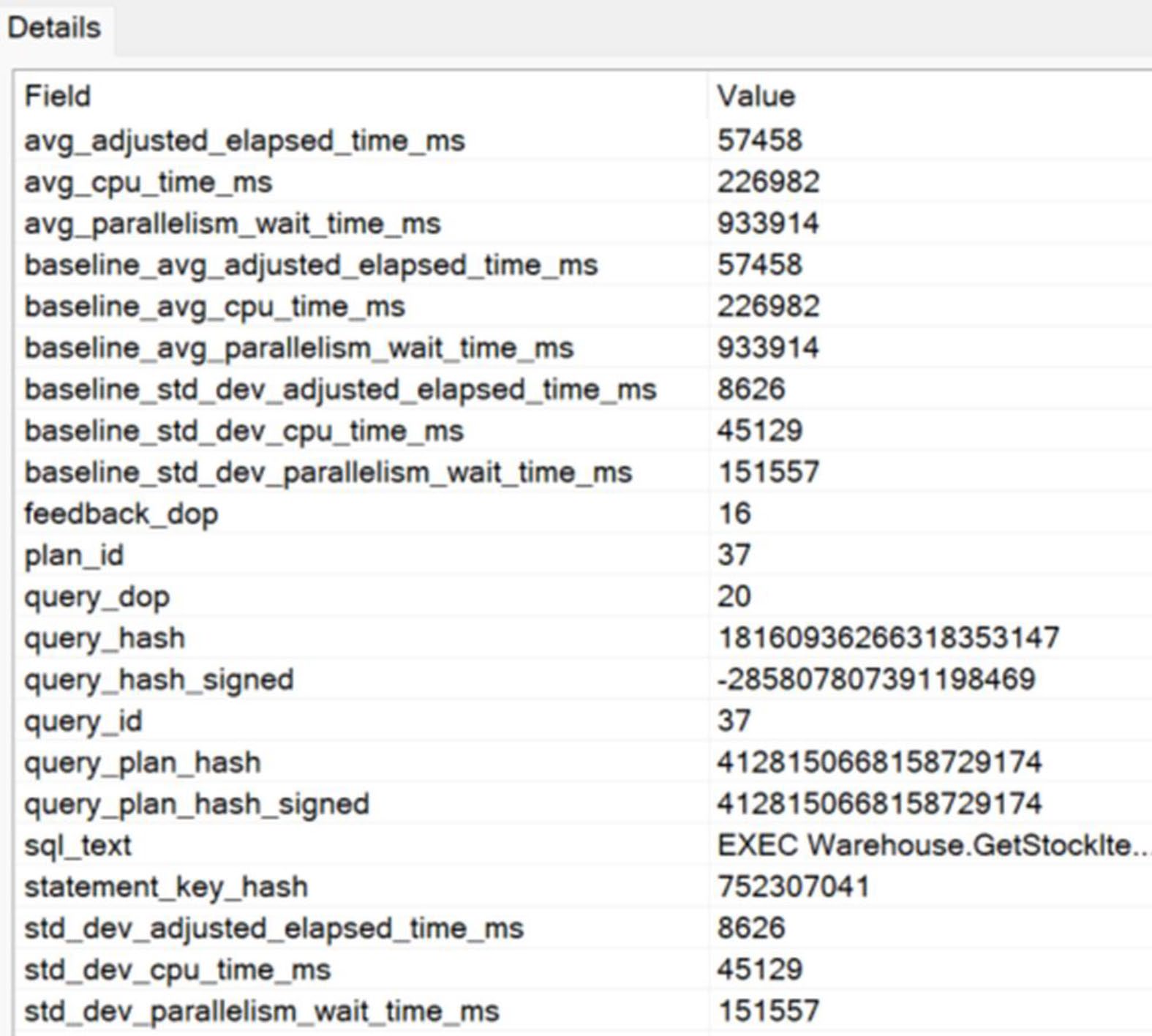
Figure 21-14: A suggested change to the DOP for this query
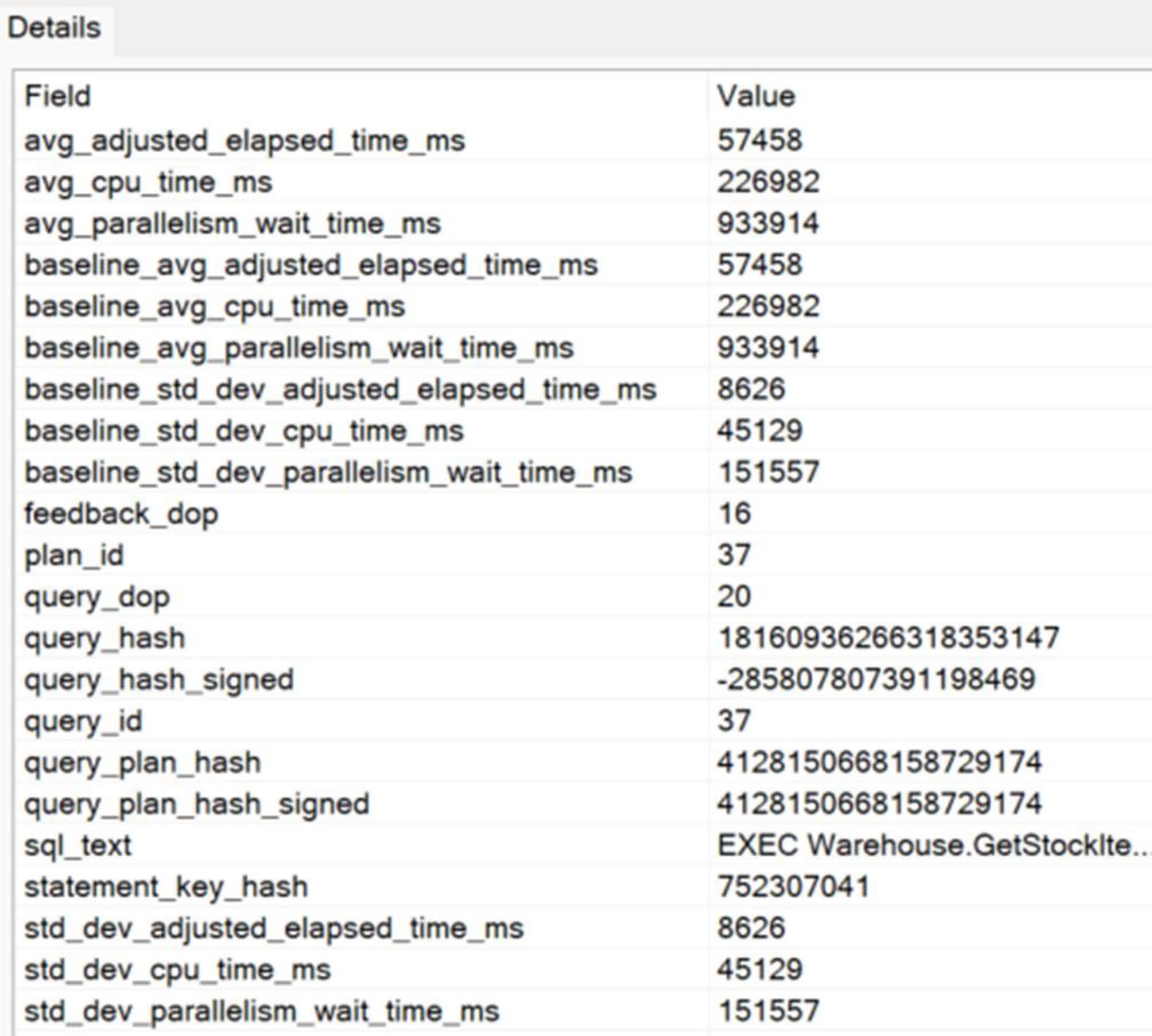
Figure 21-15: Validating that the suggested DOP change is working
Feedback Persistence#
預設 feedback 隨 plan cache 消失而消失。SQL Server 2022 起可把回饋 存進 Query Store——重啟後仍然有效。
Approximate Query Processing#
精確的 COUNT(DISTINCT col) 對極大資料集成本很高。SQL Server 提供近似版:
APPROX_COUNT_DISTINCT(col):誤差約 ±2%,速度快很多、記憶體用得很少APPROX_PERCENTILE_CONT/APPROX_PERCENTILE_DISC:估算百分位
報表「日活躍用戶」、「不同訂單數」等場景,精確值不重要——拿一個誤差 2% 內的近似值,可在資料量億級時把分鐘級查詢降到秒級。
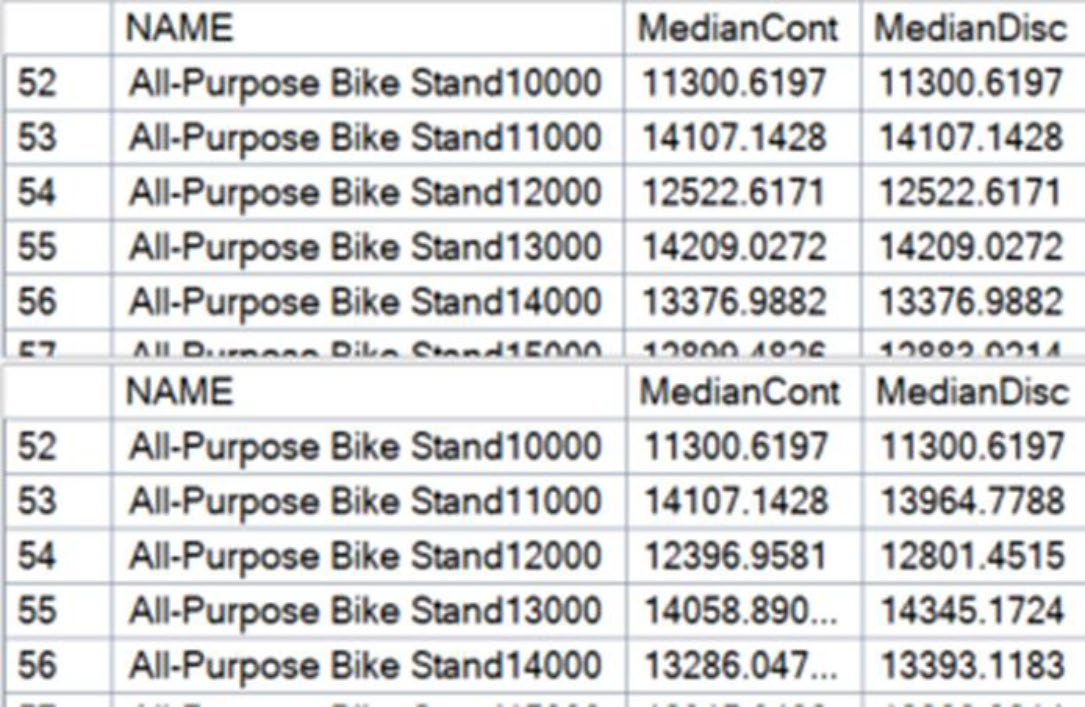
Figure 21-16: Accuracy from the approximate functions
Table Variable Deferred Compilation#
傳統 table variable 的痛點:估算永遠是 1 列,無視實際資料量。
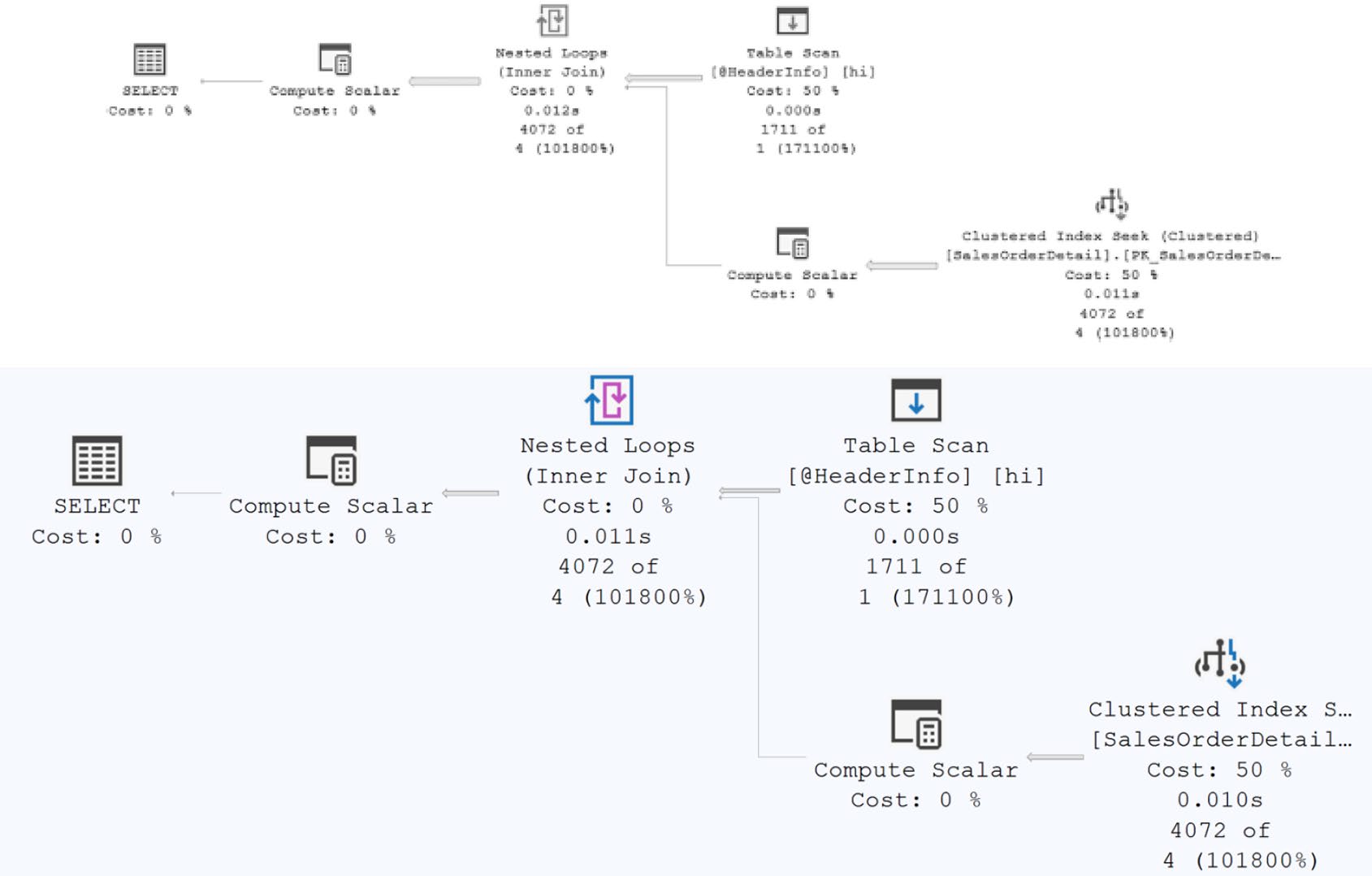
Figure 21-17: Row counts reflecting the estimate of one row
SQL Server 2019 起(compatibility 150)改變:第一次使用該 table variable 時才編譯——這時就能用實際列數做估算。
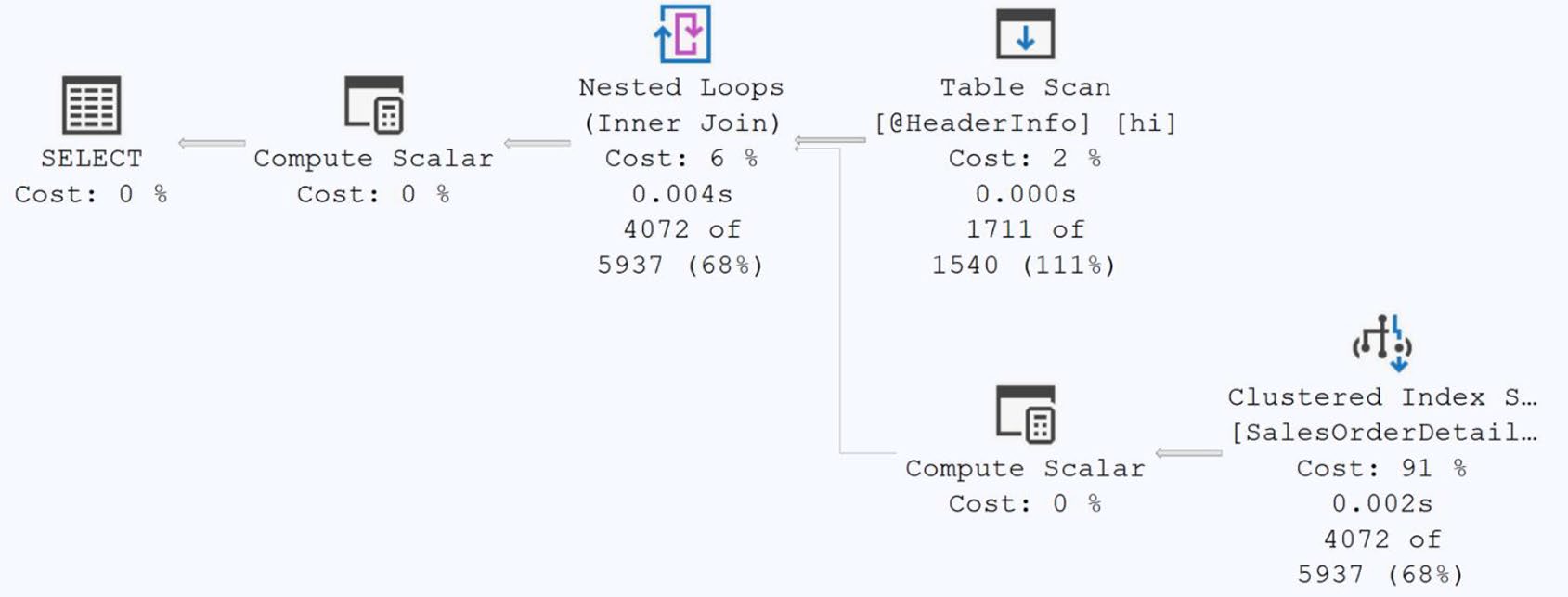
Figure 21-18: Deferred compilation results in more accurate row counts
DECLARE @t TABLE (id INT);
INSERT INTO @t SELECT id FROM source;
SELECT * FROM @t WHERE ... ;  -- 編譯延遲到此時,已知 @t 有多少列
這是 完全自動 的功能。無需改程式。直接讓多年來的 table variable 估算問題大幅改善。
Scalar UDF Inlining#
第 14 章提過:scalar UDF 對每一列呼叫一次,是隱形效能殺手。
SQL Server 2019 起(compatibility 150):優化器會嘗試把 scalar UDF 內聯(inline) 到呼叫它的查詢裡——產出單一、扁平的執行計畫。
CREATE FUNCTION dbo.GetCost (@id INT) RETURNS MONEY
AS BEGIN
    RETURN (SELECT StandardCost FROM Production.Product WHERE ProductID = @id);
END;

-- 查詢
SELECT dbo.GetCost(ProductID) FROM SomeTable;
-- 內聯後變成普通 join,可並行、可優化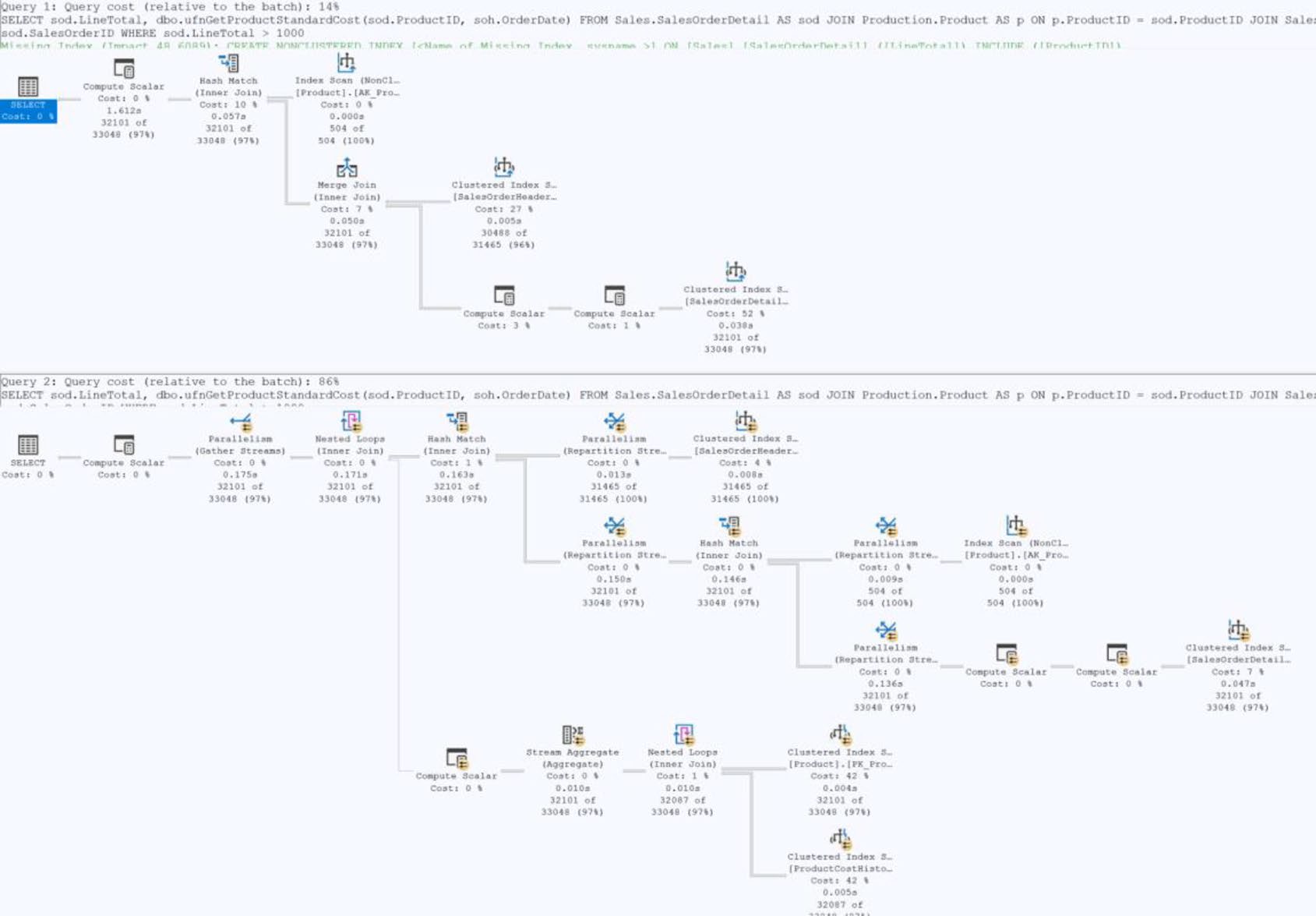
Figure 21-19: Inline scalar function vs. not inline
Inlining 的限制#
不是所有 UDF 都能 inline:
- 含 cursor / dynamic SQL → 不行
- 引用
@@NESTLEVEL等 session 狀態 → 不行 - 含 time-dependent function(如
GETDATE())但無 schemabinding → 不行 - 太複雜的邏輯 → 可能放棄
可用 sys.sql_modules 的 is_inlineable 欄位檢查每個 UDF 是否合格。
強制不 inline:
CREATE FUNCTION ... WITH INLINE = OFF AS ...通常用於:發現某個 UDF inline 後反而變慢的罕見場景。
Inlining 可能改變過去的行為——例如 NULL 傳遞、隱式轉換時機。升級到啟用 inlining 的 compatibility level 前先做迴歸測試。
啟用 IQP 的條件#
| 功能 | 最低 Compatibility | 備註 |
|---|---|---|
| Interleaved Execution TVF | 140 | SQL Server 2017 |
| Memory Grant Feedback (batch) | 140 | SQL Server 2017 |
| Memory Grant Feedback (row) | 150 | SQL Server 2019 |
| Table Variable Deferred Comp | 150 | SQL Server 2019 |
| Scalar UDF Inlining | 150 | SQL Server 2019 |
| CE Feedback | 160 | SQL Server 2022 + Query Store |
| DOP Feedback | 160 | SQL Server 2022 |
| Feedback Persistence | 160 | SQL Server 2022 + Query Store |
| PSP / Optimized Plan Forcing | 160 | SQL Server 2022 |
升級 SQL Server 不會自動升級資料庫的 compatibility level——你得手動改:
ALTER DATABASE MyDB SET COMPATIBILITY_LEVEL = 160;升級前一定要在測試環境用 Query Store 觀察 regression。
本章定調#
- IQP 是 SQL Server 自動化效能調校的核心方向
- 大多數功能是 零程式碼成本——只要拉高 compatibility level 就有
- 仍需精準的 T-SQL 與索引設計才能完全發揮
- Query Store 是 IQP 的關鍵基礎設施——讓 feedback 可持久、可觀察、可回滾
下一章將進入 自動調校(Automated Tuning)——Azure 與 SQL Server 進一步的自動化:missing index、bad plan 偵測與自動修正。