什麼是 Lookup#
當查詢用 nonclustered index 找到符合條件的列,但要的欄位 不在索引中 時,引擎必須回到資料儲存的地方(heap 或 clustered index)把那些欄位拿回來。這個動作就是 lookup:
- Key Lookup:表上有 clustered index → 用 clustered key 回查
- RID Lookup:表是 heap → 用 row identifier 回查
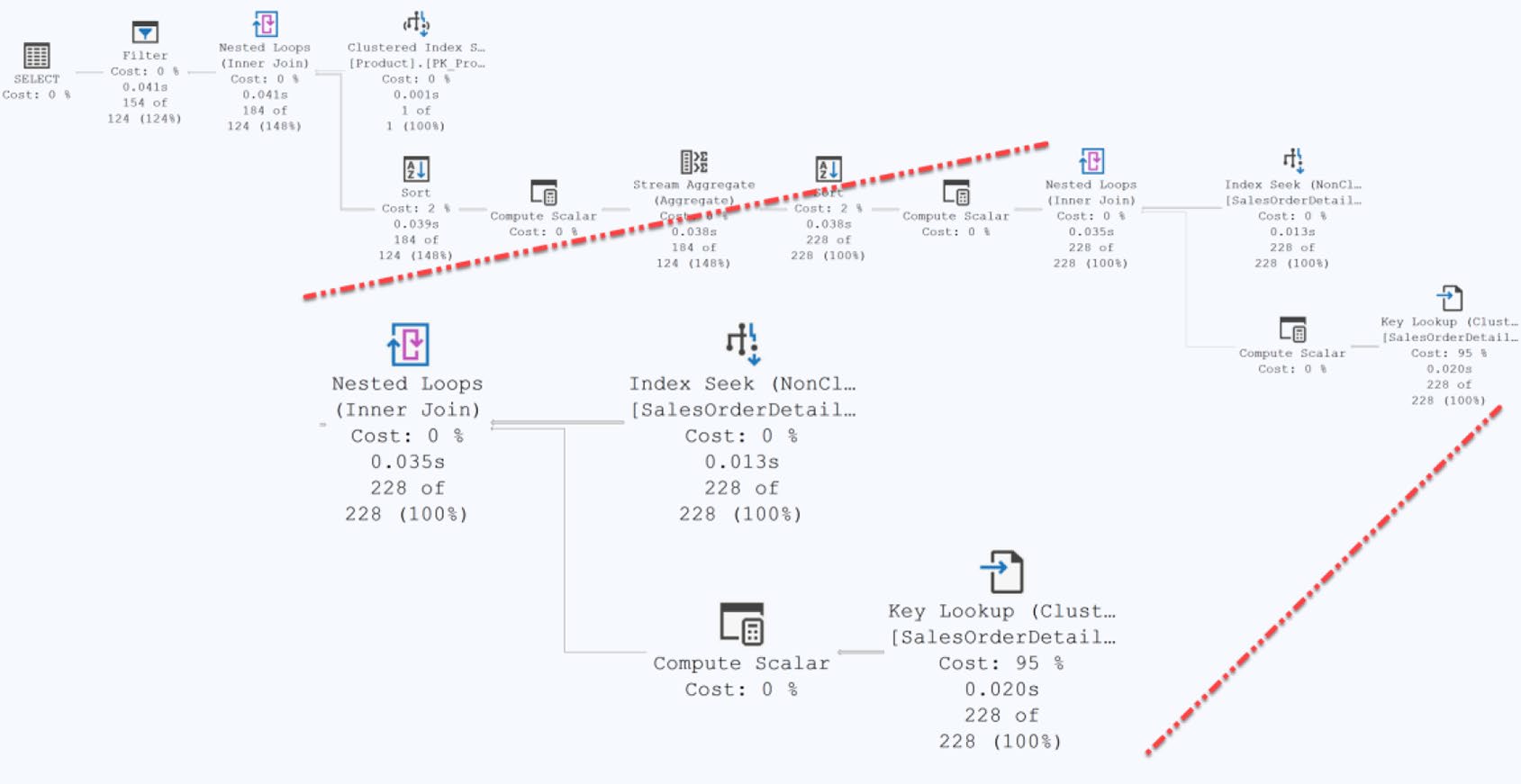
Figure 11-1: Execution plan for the query showing a key lookup
Lookup 在執行計畫中會與 Nested Loops 配對出現:左邊是 nonclustered index 的 Index Seek,右邊是 Key Lookup / RID Lookup,再用 Nested Loops 把兩邊的結果接起來。
Lookup 的成本#
Lookup 不是免費的:
- 多了一組 page 讀取——既要讀 nonclustered index 又要讀資料頁
- 不在 buffer 內時 → 隨機 I/O(random non-sequential I/O)
- CPU 必須整理欄位、執行 join 運算
- 回的列越多,累積成本越高
書中經典實驗:對 SalesOrderDetail 上的 700+ 列查詢,
- 預設:Clustered Index Scan = 1,248 reads
- 強制走 nonclustered + Key Lookup:reads 飆到 2,278

Figure 11-3: A scan in order to retrieve a larger data set
Lookup 適合 少量列。當回傳列數超過 buffer pool 友善範圍,scan 通常比 lookup 快——所以優化器有時會 故意 不走 nonclustered index。
若 lookup 列數很多卻仍在計畫中,多半是要修索引而非強制 hint。
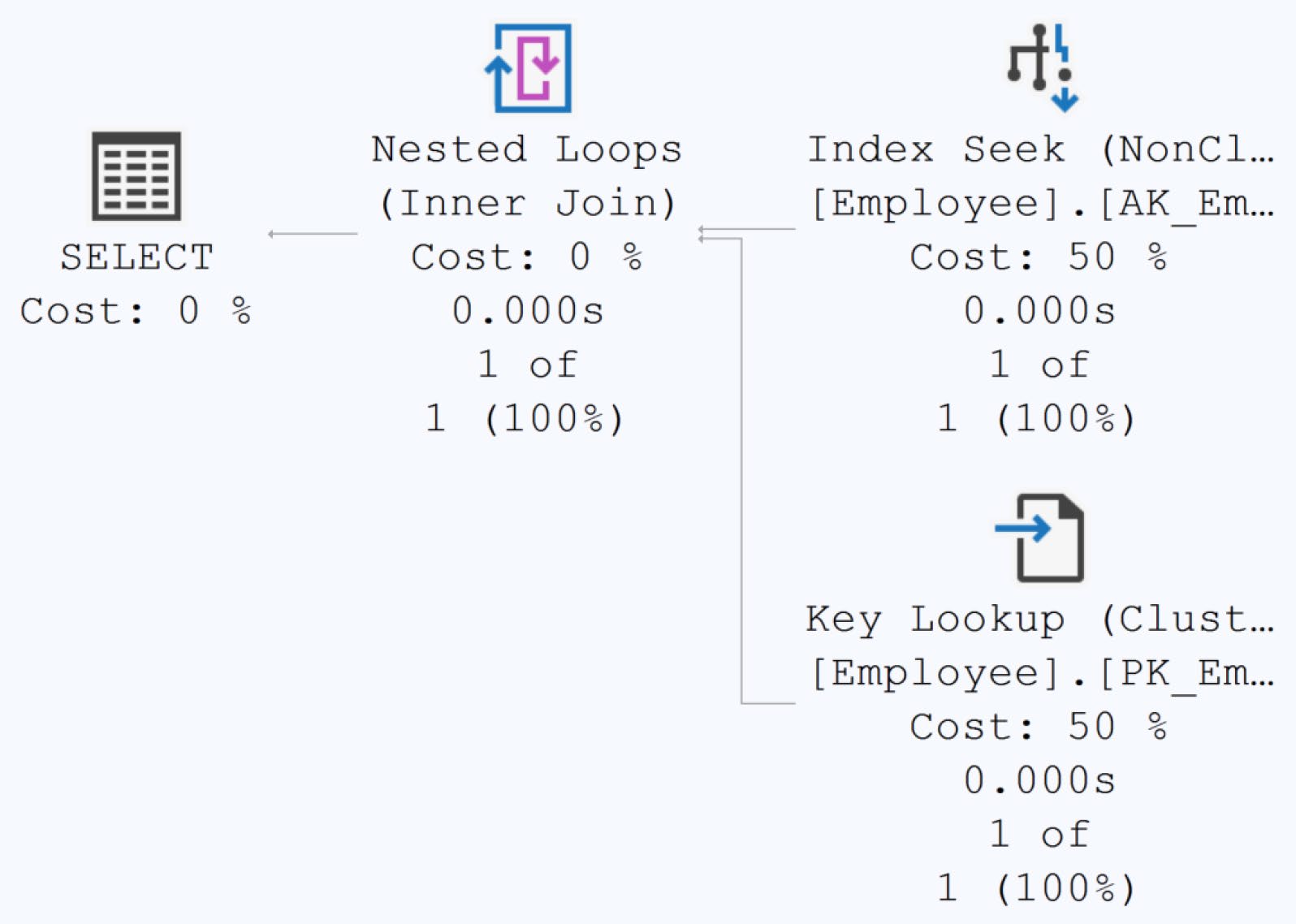
Figure 11-4: A standard Key Lookup operation
如何找出哪些欄位在做 lookup#
打開 Key Lookup 運算子的 Properties → Output List——這裡列出所有「從資料儲存拉回來」的欄位。SSMS 中可以點欄位旁的省略號展開成可複製的文字,方便直接貼到索引定義裡。

Figure 11-2: The Output List property showing the columns in the lookup
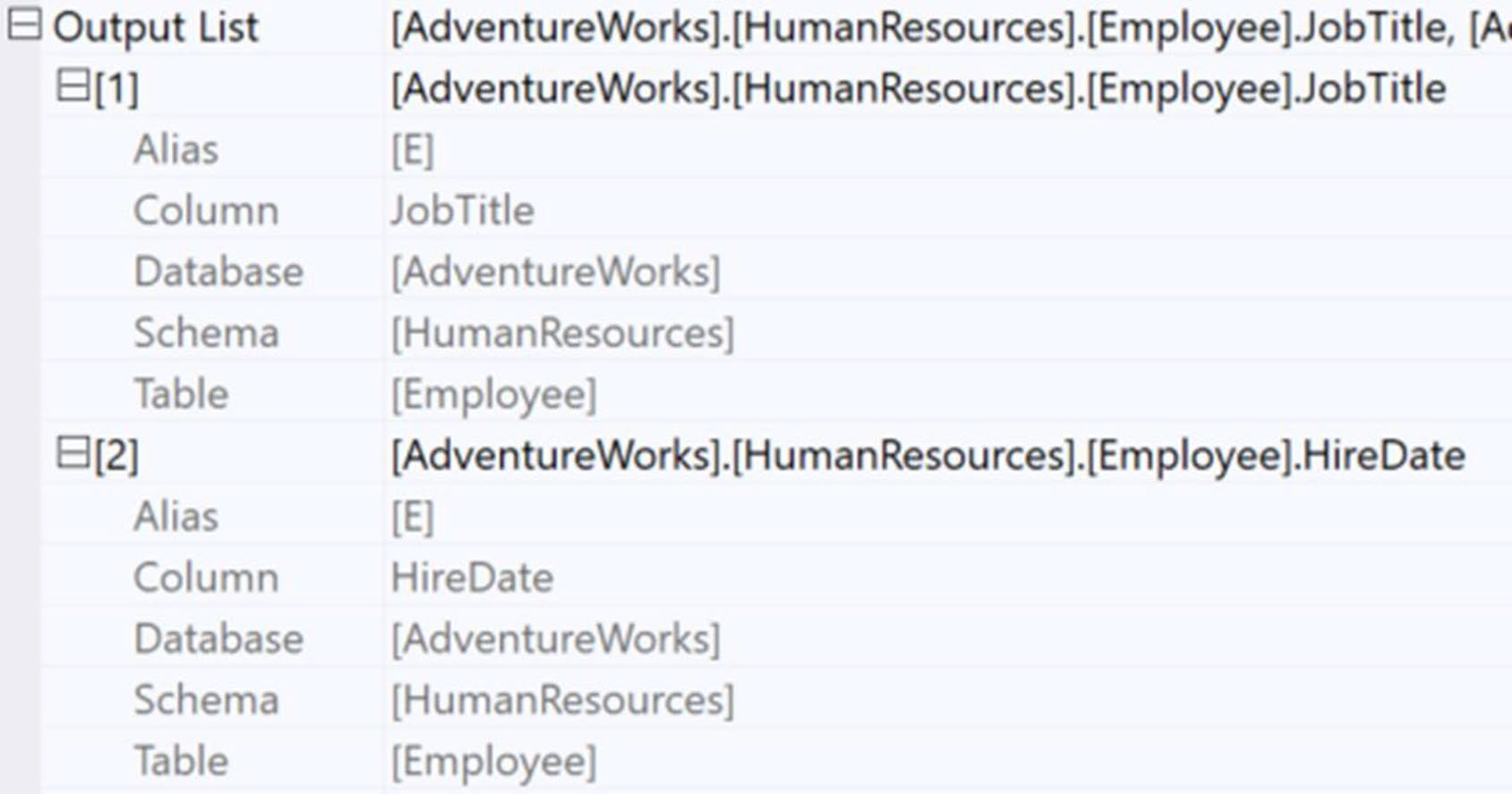
Figure 11-5: The two columns in the Output List of the Key Lookup operator
[AdventureWorks].[HumanResources].[Employee].JobTitle
[AdventureWorks].[HumanResources].[Employee].HireDate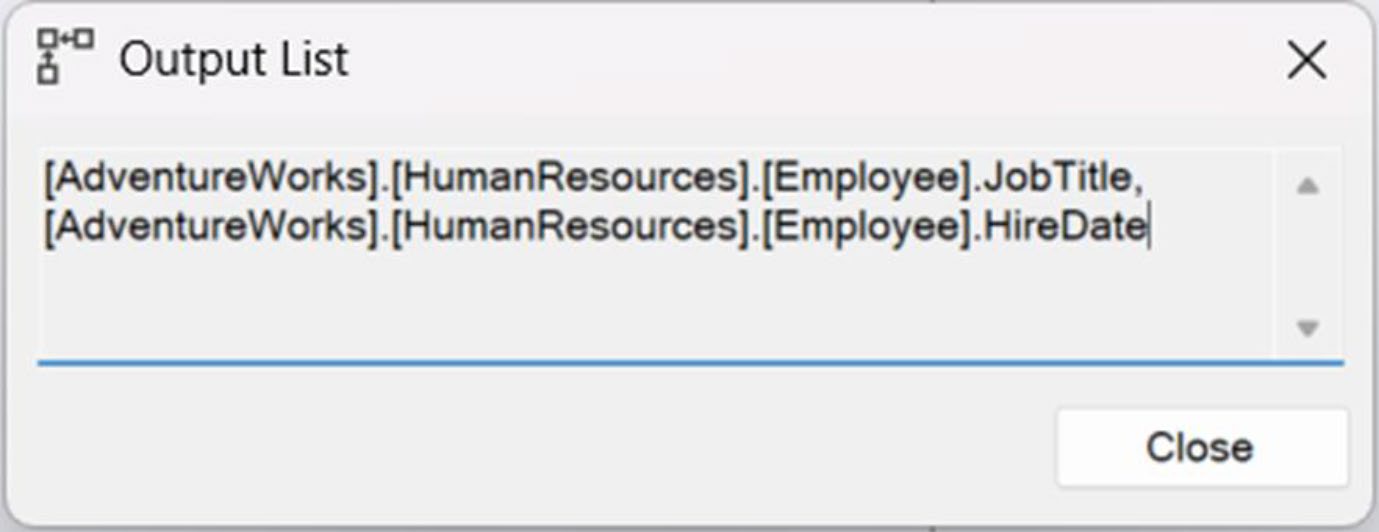
Figure 11-6: Columns highlighted in a text window
三種解法#
1. 改成 Clustered Index#
clustered index 的 leaf 已包含所有欄位,自然不需 lookup。
既有表通常已有設計過的 clustered index,不要輕易換掉——影響全域。
但若是 heap,就有機會直接設計一條合適的 clustered index 來消滅 RID lookup。
2. 用覆蓋索引(Covering Index)#
兩種做法:
A. 把欄位加進 key#
CREATE UNIQUE NONCLUSTERED INDEX AK_Employee_NationalIDNumber
ON HumanResources.Employee
(
    NationalIDNumber ASC,
    JobTitle,
    HireDate
)
WITH DROP_EXISTING;
Figure 11-7: Density graph for the original index
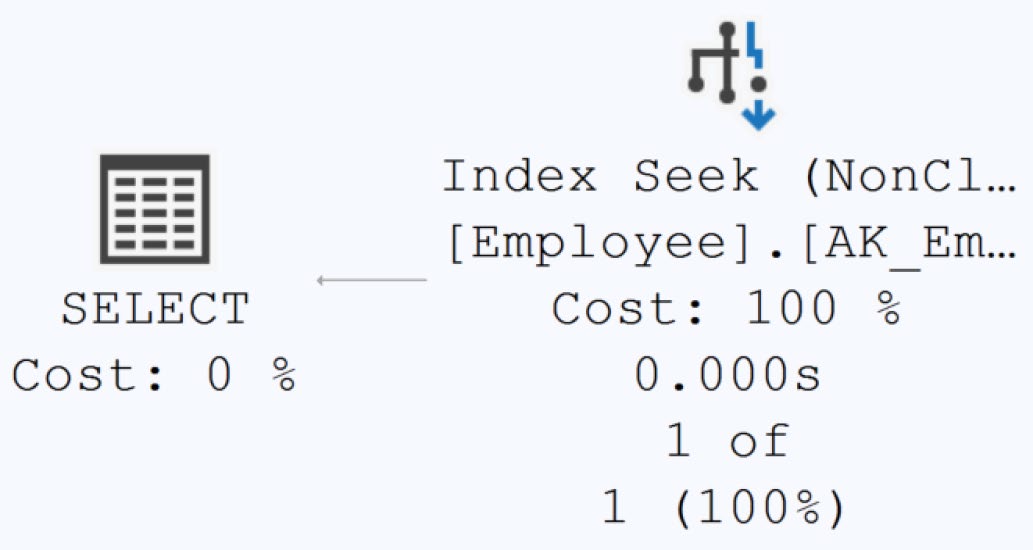
Figure 11-8: Lookup operation eliminated
把欄位塞進 key 會拉長 key——書中實測 average key length 從 21.66 暴增到 74.48,page 內裝得下的列變少,索引變胖、寫入變慢。除非該欄位真的需要參與排序或過濾,否則別這麼做。

Figure 11-9: The density graph for the new index
B. 用 INCLUDE#
CREATE UNIQUE NONCLUSTERED INDEX AK_Employee_NationalIDNumber
ON HumanResources.Employee (NationalIDNumber ASC)
INCLUDE (JobTitle, HireDate)
WITH DROP_EXISTING;- 鍵值結構不變、長度不變
- 多出的欄位只儲存在 leaf
- 計畫一樣走 Index Seek、消滅 lookup
- 不可用於 WHERE / JOIN / HAVING 過濾——若需過濾就只能加 key

Figure 11-10: Average key length is back down
預設首選 INCLUDE。先評估該欄位是否真要參與過濾或排序,否則 INCLUDE 是更保守、影響最小的選項。
C. 改寫查詢#
如果你能 不取那些欄位——例如本來查 JobTitle, HireDate 改只查 NationalIDNumber, BusinessEntityID——也能順便讓索引變覆蓋。
只有在「那些欄位本來就不需要」的情境才行。為了省 lookup 而硬刪欄位,是本末倒置。
3. 利用 Index Join#
當無法/不該動既有索引時的折衷:新增另一條 nonclustered index,讓優化器把兩條索引合起來變成覆蓋。
-- 既有:IX_PurchaseOrderHeader_VendorID
CREATE NONCLUSTERED INDEX IX_TEST
ON Purchasing.PurchaseOrderHeader (OrderDate);
書中對 WHERE VendorID = 1636 AND OrderDate = '2014/6/24' 測試:
- 原本:Index Seek + Key Lookup = 614μs / 10 reads
- 加上 OrderDate 索引後:兩 Index Seek + Merge Join = 4.66μs / 4 reads
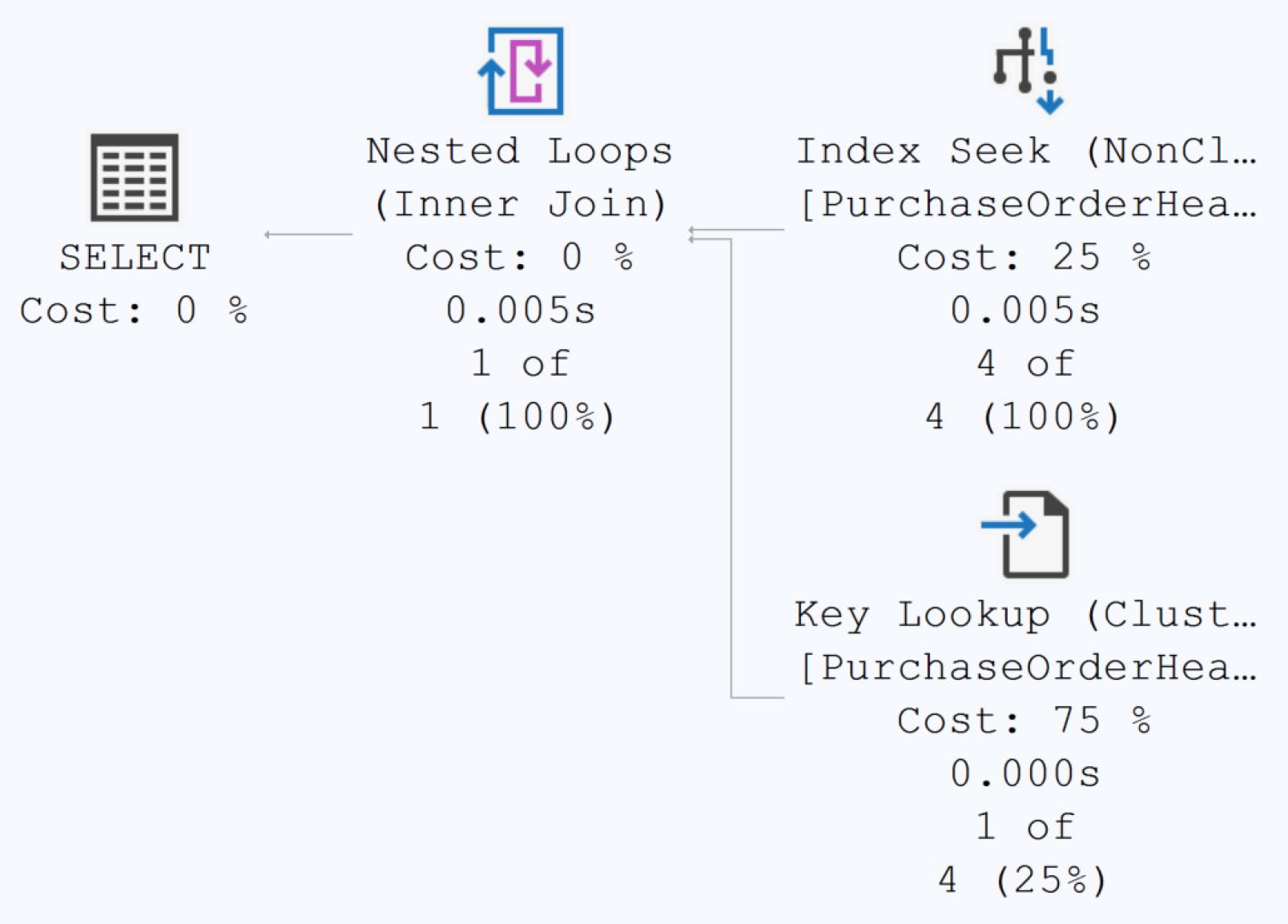
Figure 11-11: Query resulted in a key lookup
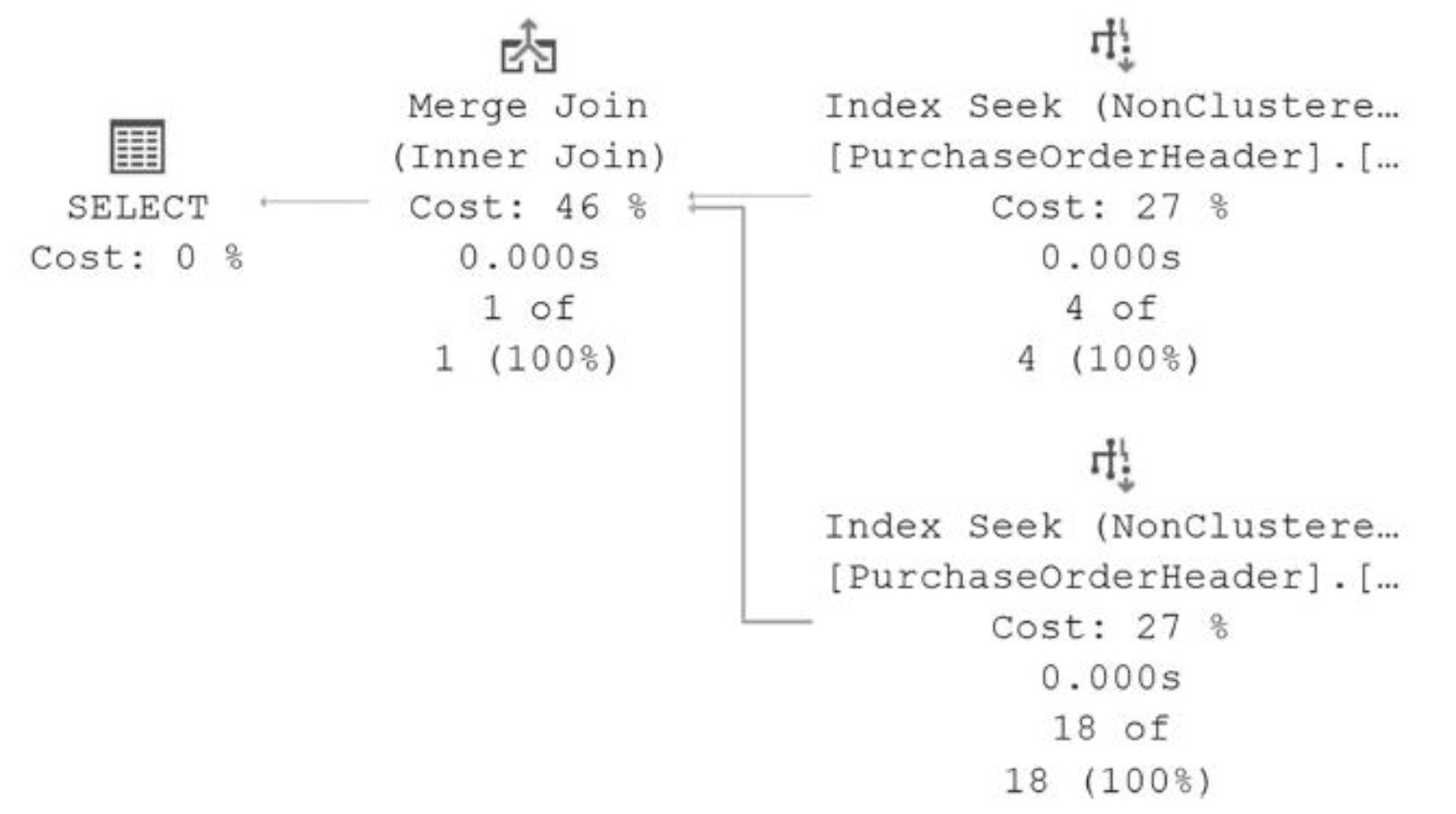
Figure 11-12: An index join works as a covering index
Index join 比起改現有索引仍稍微慢(多一個 join 運算),但好處是不影響其他用到既有索引的查詢——是「無法動現有索引」的權宜方案。
不必每個 lookup 都修#
Lookup 不全是壞的。執行頻率低、回傳列少、總時間夠快的查詢即使有 lookup 也沒必要為它增改索引——索引維護是 持續成本。
修 lookup 的標準:該查詢真的慢、且 lookup 是主要成本。
本章定調#
- Lookup 是因為查詢欄位不在 nonclustered index 中而出現
- Output List 屬性告訴你少哪些欄位
- 三大解法:改 clustered index、設計覆蓋索引(首選 INCLUDE)、利用 index join
- 解法選擇取決於:能否動現有索引、欄位是否需參與過濾、查詢是否真的需要這麼快
下一章將進入 索引碎片——資料變動帶來的 page split、deltastore 累積,以及這些是不是真的需要處理。